How To Test A Toaster: Safe Testing Guide
A toaster can be tested with a simple visual check, an outlet test, and a short operating test. In the United States, unplug the toaster before you inspect, clean, or measure it. Never place a metal tool inside a plugged-in toaster, and do not open the case unless you are trained to work on mains-powered appliances.
Start with the safest checks: inspect the cord and plug, confirm the wall outlet works, test the toaster with no bread, and then check how evenly it browns bread. If the toaster sparks, smells like burning plastic, trips a circuit, shocks you, or stays hot after use, stop testing and replace it or have it checked by a qualified appliance technician.
What You Need Before Testing a Toaster
You need a safe work area, a known-good outlet, and a few simple tools. Most tests do not require a screwdriver or a multimeter.
Gather:
- The toaster’s user manual, if available
- Two slices of plain bread
- A flashlight
- A dry cloth or soft brush
- A lamp or plug-in outlet tester
- A stopwatch or phone timer
- A non-contact voltage tester, if you know how to use one
- A digital multimeter only for unplugged tests
Use a clear, dry counter near the toaster’s normal location. Keep the toaster away from the sink, wet towels, and flammable items such as paper, curtains, and cooking oil.
Know the electrical limits
Most household toasters sold in the United States are designed for a 120-volt AC household circuit. The exact voltage, wattage, and circuit requirements depend on the model label and manual.
Read the rating label before testing. It may list:
- Voltage, such as 120 V
- Power, such as 800 W or 1,500 W
- Frequency, such as 60 Hz
- A model or serial number
- Safety certification marks
Do not use a toaster with a travel adapter, an extension cord, or a power strip unless the manufacturer specifically allows it. A high-power heating appliance can place a heavy load on small or low-rated cords.
What a toaster test can and cannot show
A home test can show whether the toaster:
- Receives power
- Holds the lever down
- Heats its elements
- Pops up at the end of a cycle
- Produces reasonably even browning
- Shows signs of cord, plug, or housing damage
A home test cannot prove that every internal part is safe. It also cannot confirm the condition of hidden wires, insulation, thermal controls, or fire protection parts without proper equipment and training.

Step 1: Inspect the Toaster While It Is Unplugged
Unplug the toaster and let it cool fully before inspecting it. Look at the whole appliance, not just the slots.
Check these parts:
- Power cord: Look for cuts, crushed areas, exposed wires, melted insulation, or dark marks.
- Plug: Check for bent blades, loose parts, burn marks, or cracks.
- Housing: Look for melted plastic, gaps, broken controls, or scorch marks.
- Slots: Check for crumbs, foil, utensils, or food stuck near the heating elements.
- Lever: Move it gently. It should travel smoothly and should not feel loose.
- Browning control: Turn it through its range. It should not be cracked or stuck.
- Crumb tray: Confirm that it closes correctly and is not warped.
Do not use the toaster if you see exposed wire, melted plastic, a damaged plug, or heavy scorching. Tape is not a safe repair for a damaged power cord. Replace the cord through a qualified repair service or replace the toaster.
A small amount of baked-on bread residue may be normal. A strong burnt smell, blackened metal, repeated smoke, or melted parts is not a normal condition.

Step 2: Test the Wall Outlet Separately
Test the outlet before blaming the toaster. A dead outlet, tripped breaker, or tripped GFCI receptacle can make a working toaster appear faulty.
The simplest method is to plug in a lamp that you know works. Test the same receptacle opening that you plan to use for the toaster.
If the lamp does not work:
- Try the other opening on the receptacle.
- Check nearby GFCI outlets and press the Reset button if appropriate.
- Check the electrical panel for a tripped breaker.
- Stop if the outlet is warm, loose, cracked, buzzing, or discolored.
Do not remove the outlet cover to test household wiring. Contact a licensed electrician for a loose, hot, buzzing, or damaged receptacle.
An outlet tester can identify some common wiring problems, but it is not a complete safety inspection. A basic plug-in tester may not detect every dangerous condition, including some bootleg ground or neutral faults.
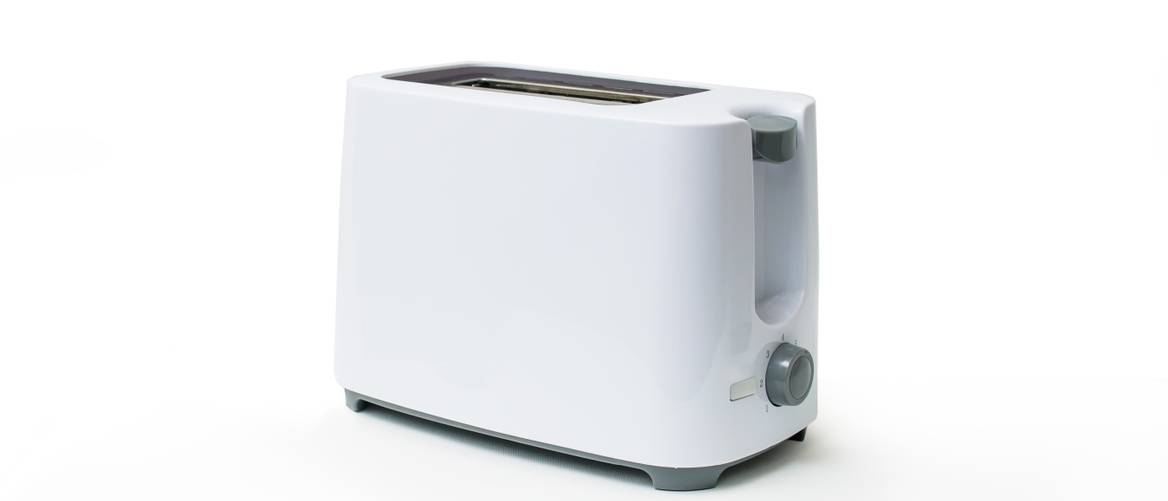
Step 3: Test the Toaster Without Bread
Place the toaster on a stable, heat-resistant surface. Make sure the slots are empty and the crumb tray is in place.
Follow this sequence:
- Set the browning control to a middle setting.
- Plug the toaster directly into the wall outlet.
- Push the lever down.
- Watch and listen for about 30 seconds.
- Confirm that the heating elements glow or produce heat as described in the manual.
- Let the cycle finish without touching the toaster.
- Confirm that the lever releases and the carriage pops up.
A working toaster usually shows a steady heating cycle, then stops when the timer or control ends the cycle. Some models use electronic controls and may behave differently from older mechanical models, so the manual is the best source for model-specific behavior.
Stop the test at once if you notice:
- Flames
- Repeated popping or loud arcing
- A strong electrical or melting-plastic smell
- Smoke that does not come from minor food residue
- A hot plug or hot cord
- A breaker that trips
- A lever that will not release
- A toaster that remains energized after the cycle
Do not touch the heating elements. They can become hot very quickly, even when they do not appear bright orange.

Step 4: Test Toasting Performance With Bread
After the empty-cycle test passes, use two similar slices of plain bread. Avoid thick slices, pastries, frozen food, or bread with sugar or cheese for the first test.
Set both slots to the same middle browning setting. Lower the bread and let the cycle finish. Then inspect each slice.
Look for:
- Even browning from edge to edge
- Similar results in both slots
- A complete pop-up action
- Bread that is not scorched on one side
- No smoke beyond light residue from the bread
- No unusual odor from the toaster
Repeat the test once at a lower setting and once at a higher setting if needed. Use similar slices each time. Bread thickness, moisture, sugar, frozen temperature, and starting position can change the result, so one slice does not provide a reliable performance test.
How to judge uneven toast
Uneven browning can result from a dirty slot, a blocked heating element, different bread thickness, or a failing control. Compare the same type of bread in both slots.
| Result | Possible cause | Safe next step |
|---|---|---|
| Both slices are too pale | Low setting, short cycle, weak heating, or control problem | Repeat with the same bread; replace the toaster if the result stays poor |
| Both slices burn | High setting, control fault, or very dry bread | Try a lower setting; stop using it if it overheats |
| One side is pale | Blocked or failed heating element | Unplug, cool, and clean loose crumbs only |
| One slot differs from the other | Slot-specific element or control problem | Stop using the toaster if the difference is large or worsening |
| Bread sticks or will not pop up | Jammed carriage or mechanical fault | Unplug; never pull stuck bread with metal |
| Smoke appears each time | Heavy residue, burning part, or wiring fault | Unplug and stop testing |
A toaster does not need to make every slice perfectly identical. The key safety issue is whether it heats, stops, and releases normally without smoke, sparks, or excessive heat.
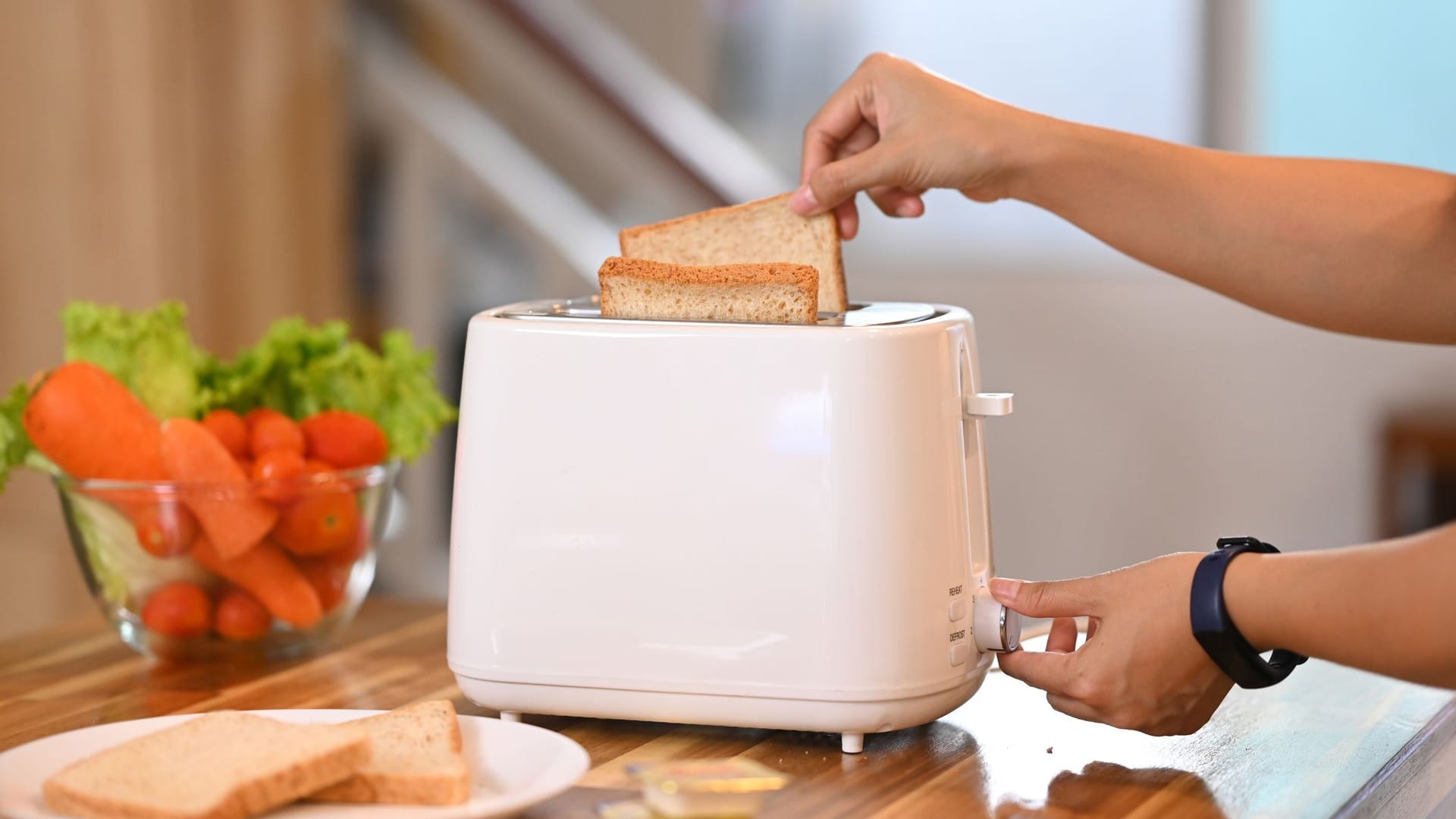
Step 5: Check the Cord and Plug After the Test
Unplug the toaster by holding the plug, not by pulling the cord. Allow it to cool, then inspect the plug and cord again.
A warm plug may indicate a poor connection, a damaged receptacle, or an appliance fault. A hot plug, melted plastic, discoloration, buzzing, or a burning smell requires immediate removal from service.
Do not coil the cord tightly around a hot toaster. Heat can damage the insulation. Store the toaster only after the unit has cooled and loose crumbs have been removed.
:max_bytes(150000):strip_icc()/proctor-silex-wide-slot-4-slice-toaster-testing-abfc392d695e412ebef9cd7f0763b468.jpg "How to Test a Toaster With a Multimeter")
How to Test a Toaster With a Multimeter
A multimeter can help check continuity in an unplugged toaster, but it cannot make a damaged toaster safe. Do not use resistance or continuity mode on a plugged-in appliance.
This test is best left to a qualified appliance repair technician because toasters contain exposed conductors and parts that may retain risk if handled incorrectly.
Basic unplugged continuity check
If you are trained to test appliances:
- Unplug the toaster.
- Confirm that the plug is not connected to any outlet.
- Let the toaster cool completely.
- Set the multimeter to continuity or resistance mode.
- Test the meter leads together first. A working meter should show a low reading or sound a continuity tone.
- Test only accessible components that the service manual identifies.
- Compare the result with the manufacturer’s service information.
A continuity reading alone does not prove that a heating element is safe or working correctly. A heating element may show continuity but still heat unevenly, short to the frame, or have damaged insulation. A no-continuity reading may indicate a broken element, thermal fuse, switch, or wire, but the correct diagnosis depends on the model.
Never probe the wall outlet with a multimeter unless you are qualified to make live-voltage measurements. Incorrect meter settings or probe placement can cause shock, arc flash, equipment damage, or fire.
Do not bypass a fuse or safety control
Never bridge a thermal fuse, defeat a switch, or connect wires together to “see if it works.” These parts help limit overheating and fire risk. Bypassing them can create a dangerous appliance even if the toaster appears to operate normally.
:max_bytes(150000):strip_icc()/faw-toasters-test-jan-24-oster-4-slice-touchscreen-toaster-nsimpson-3179-5e9d0590f11d434a906079a1f54385fd.jpeg "Common Toaster Problems and Safe Checks")
Common Toaster Problems and Safe Checks
Use the symptom to guide the next safe check. Do not keep repeating a test that produces smoke, sparks, a shock, or a tripped breaker.
| Symptom | Safe checks | When to stop |
|---|---|---|
| Toaster is completely dead | Test the outlet, inspect the plug, and confirm the lever engages | Stop if the cord or plug is damaged |
| Lever will not stay down | Check for crumbs around the carriage after unplugging | Stop if the mechanism is loose or damaged |
| Toaster heats but will not pop up | Unplug it and check for stuck bread or heavy crumbs | Replace or repair it if the carriage remains stuck |
| Toast is uneven | Use matching bread and clean loose crumbs after cooling | Stop if one area glows abnormally bright |
| Toaster trips the breaker | Try no further powered tests | Have the toaster evaluated or replace it |
| Toaster shocks the user | Disconnect power immediately | Do not use it again until repaired or replaced |
| Toaster smells like burning plastic | Unplug it and allow it to cool outdoors only if safe to carry | Replace or professionally inspect it |
| Toaster sparks | Unplug it if you can do so safely | Do not restart it |
| Toaster smokes lightly once | Unplug it and inspect for residue after cooling | Stop if smoke returns or comes from the appliance |
A single small wisp of smoke from old crumbs can occur, but repeated smoke is not a normal test result. Treat recurring smoke as a fault rather than trying to “burn it clean.”
:max_bytes(150000):strip_icc()/Testing-Cuisinart-CPT-640-4-Slice-Metal-Toaster-Fred-HardyII-281-3x2-3894b62bbd274103bf2486d42ad254e9.jpeg "How to Clean a Toaster Before Retesting")
How to Clean a Toaster Before Retesting
Cleaning can correct poor performance when crumbs block the carriage or heating area. It cannot fix damaged wiring or a failed control.
Use this method:
- Unplug the toaster.
- Wait until it is completely cool.
- Remove and empty the crumb tray.
- Hold the toaster over a trash can and gently shake out loose crumbs.
- Use a soft, dry brush for crumbs that remain near the slots.
- Wipe the outside with a slightly damp cloth.
- Dry the toaster fully before reconnecting it.
Never immerse a toaster in water. Do not spray cleaner into the slots. Do not insert a knife, fork, screwdriver, or metal pick into the toaster.
After cleaning, repeat only the short no-bread test. If the problem remains, stop using the toaster.
When Should You Replace a Toaster?
Replace a toaster when it has a damaged cord, a cracked plug, repeated electrical faults, a stuck carriage, uncontrolled heating, or signs of melting or fire damage.
Repair may be reasonable when the toaster is a higher-value model and a qualified technician can identify a documented, available part. For many basic household toasters, the cost and safety risk of repair may not justify continued use.
Do not rely only on a safety certification mark or a normal-looking exterior. A certification mark may indicate that a product was evaluated under a particular standard, but it does not prove that an old, damaged, modified, or poorly maintained toaster remains safe.
Dispose of the toaster through your local electronics recycling or household appliance program when available. Do not place a damaged appliance in a donation box or give it to another person without explaining the fault.

Toaster Safety Rules for U.S. Homes
Follow the instructions supplied with the toaster. The U.S. Consumer Product Safety Commission warns consumers about fire and burn hazards from household appliances, and fire-safety organizations advise keeping combustible items away from heat-producing appliances.
Use these habits:
- Plug the toaster into a suitable wall outlet.
- Keep it away from water and flammable materials.
- Stay nearby while it operates.
- Unplug it when cleaning or when it is not in use if the manual recommends doing so.
- Never put your hand into the slot while the toaster is plugged in.
- Never use a knife or fork to remove stuck food.
- Do not toast food with loose fillings, icing, or cheese unless the manual allows it.
- Do not cover the toaster during operation.
- Keep the crumb tray clean.
- Keep children away from the hot appliance.
- Know where the circuit breaker is located.
If the appliance catches fire, turn off power if you can do so without touching the toaster or standing in water. Do not pour water on an energized electrical appliance. Leave the area and call 911 if the fire does not stop immediately or if you are unsure what to do.
Frequently Asked Questions
Can I test a toaster with a multimeter while it is plugged in?
No. Never use continuity or resistance mode on a plugged-in toaster. Unplug the appliance first. Live-voltage testing should be performed only by someone trained and equipped for electrical work.
How do I know if a toaster heating element is bad?
A bad element may stay cold, heat unevenly, glow abnormally, or produce repeated smoke. A multimeter continuity test may provide additional information, but the result must be interpreted using the toaster’s service information. Replace or professionally repair the toaster if the element behaves abnormally.
Is it safe to use a toaster that sparks once?
No. Unplug it and do not restart it. A small spark caused by a crumb may be possible, but you cannot safely confirm that without inspection. Repeated sparking, arcing, or scorch marks indicate a fault.
Why does my toaster trip the breaker?
Possible causes include a short circuit, damaged cord, failed heating element, moisture, an overloaded circuit, or a problem with the breaker or outlet. Do not keep resetting the breaker to test the toaster. Have the appliance and circuit checked if the fault repeats.
Can I test a toaster with a two-prong outlet?
Use the outlet type and connection specified by the toaster’s manufacturer. Do not remove the ground pin from a three-prong plug, use a damaged adapter, or defeat a grounding feature. If the outlet is outdated, loose, or damaged, ask a licensed electrician to assess it.
How often should I clean a toaster?
Empty the crumb tray and remove loose crumbs when buildup is visible or according to the manual. Always unplug the toaster and let it cool before cleaning. Frequent crumbs, smoke, or burning odors require more than routine cleaning.
Key Takeaways
- Test the outlet before testing the toaster.
- Inspect the cord, plug, housing, slots, lever, and crumb tray while unplugged.
- Run a short empty-cycle test before using bread.
- Test browning with similar slices and repeatable settings.
- Never insert metal objects into a plugged-in toaster.
- Never use water on an electrical appliance.
- Stop immediately for sparks, shocks, melting, repeated smoke, or a hot plug.
- Use a qualified technician for internal electrical tests.
Conclusion
The safest way to test a toaster is to begin with an unplugged inspection, check the wall outlet, run a brief supervised cycle, and then test toast with matching bread. A toaster that heats, stops, pops up, and browns consistently without smoke or electrical warning signs is passing the basic home check.
If the toaster trips a breaker, gives a shock, sparks, smells like burning plastic, or shows cord damage, do not test it again. Unplug it, keep it out of service, and choose professional repair or replacement.
Sources and Further Reading
- U.S. Consumer Product Safety Commission: Appliance and electrical safety information
- National Fire Protection Association: Home fire safety
- Electrical Safety Foundation: Home electrical safety
- The toaster’s owner’s manual and manufacturer service documentation
- The product safety label and electrical rating label on the appliance