Zojirushi Rice Cooker Display Not Working [Fix The Issue yourself]
If your Zojirushi rice cooker display is not working, don’t panic! Most issues are caused by simple power connectivity problems, a depleted internal battery, or a tripped safety switch. This guide will walk you through safe and effective steps to troubleshoot and fix your display so you can get back to cooking perfect rice.
There is nothing quite as frustrating as walking into your kitchen, ready to start a fresh batch of fluffy jasmine or brown rice, only to find that your Zojirushi rice cooker display is not working. You press the button, you double-check the plug, but the screen stays stubbornly blank. It feels like the end of your culinary plans for the evening, but before you head to the store for a replacement, take a deep breath.
Most of the time, when a Zojirushi rice cooker display is not working, the problem is actually quite minor. These machines are built to last for decades, and they are usually much tougher than they appear. Whether it is a simple power supply hiccup or an aging internal battery, we are going to look at exactly what you can do to fix the issue yourself. Let’s get your favorite kitchen companion back up and running.
Key Takeaways
- Check Power Sources: Always verify that your power cord is securely plugged in and the outlet is functional before assuming the unit is broken.
- The Lithium Battery: Many Zojirushi models rely on a small internal battery to keep the clock and display active even when unplugged.
- Reset Procedures: Often, a simple reset by unplugging the unit for a few minutes can clear minor electronic glitches in the control panel.
- Safety First: Never attempt to disassemble the inner housing or touch live wires if you are not comfortable with electrical repairs.
- Authorized Repairs: If your display remains blank after troubleshooting, contact Zojirushi customer support to avoid voiding your warranty.
Understanding the Power Supply and Connection
The first place to look when your Zojirushi rice cooker display is not working is the power connection. It sounds basic, but you would be surprised how often a loose cable or a tripped breaker is the real culprit. Zojirushi cookers have magnetic power cords for safety, which can sometimes be bumped or partially disconnected without you noticing.
Checking the Magnetic Power Cord
Most modern Zojirushi models utilize a magnetic breakaway power cord. This is a safety feature designed to pop out if someone trips over the wire. Check to see if the magnetic end is firmly attached to the port on the back of the cooker. If it looks seated but the display is still off, pull it out completely, inspect the contacts for any debris, and click it back into place firmly.
Testing Your Wall Outlet
If the cord is perfect, the issue might be your wall outlet. Try plugging a small lamp or your phone charger into the same outlet to ensure it is actually providing power. If the outlet is part of a kitchen GFCI circuit, check if the “Reset” button on the wall plate has popped out. Sometimes, these circuits trip during a minor power surge, cutting off power to your appliances without you realizing it.
The Role of the Internal Lithium Battery
Did you know your Zojirushi rice cooker has a small internal battery? Even when you unplug the unit, the display keeps working to show the clock and memory settings. This battery is similar to a watch battery, and it lives inside the control housing of your cooker. If your Zojirushi rice cooker display is not working, the battery might have finally run out of juice.
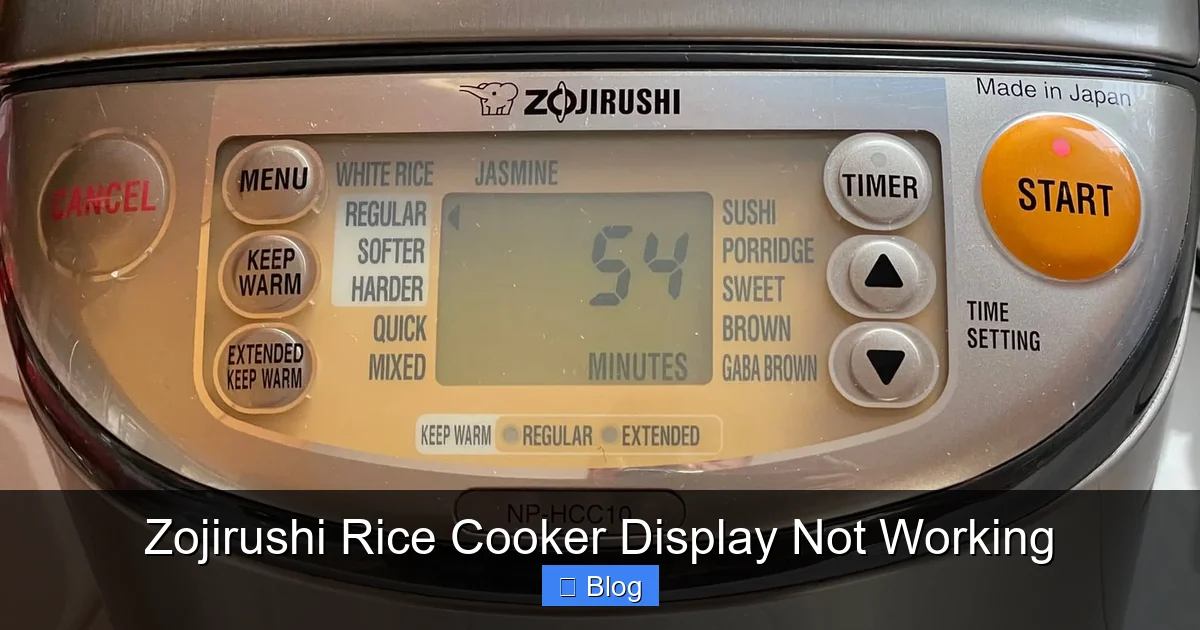
Visual guide about Zojirushi Rice Cooker Display Not Working
Image source: zojirushi.com
When Is It the Battery?
If you notice the display was fading for a while before it finally went blank, that is a classic sign of a dying battery. While the rice cooker will still physically cook rice if the main power cord is plugged in, the digital display may fail to activate or show garbled text if the internal battery is completely drained or corroded.
Can You Replace the Battery?
On many models, this battery is soldered onto the circuit board. This makes it a difficult repair for the average user. If you are handy with a soldering iron, there are many guides online for specific models, but if you are not experienced with electronics, it is much safer to send the unit to a Zojirushi service center. For most, this serves as a reminder that the unit has served you well for many years, often ten or more!
Troubleshooting Electronic Glitches
Modern rice cookers are essentially small computers. Just like your smartphone or laptop, they can occasionally experience a software “freeze” or a glitch in the control panel. If your Zojirushi rice cooker display is not working, performing a hard reset is one of the most effective ways to clear the error.
Performing a Full Power Cycle
To reset your rice cooker, unplug the unit from the wall outlet entirely. Once it is unplugged, leave it disconnected for at least ten to fifteen minutes. This allows the internal capacitors to discharge completely. During this time, the “memory” of the internal circuit board should clear. Plug it back in and see if the display lights up. You would be amazed at how often this simple step solves the problem.
Identifying Error Codes
Sometimes the display isn’t “not working,” but rather showing a specific error code like “H01” or “E02.” If the screen shows something other than the clock, your cooker is actually communicating with you. These codes usually point to a sensor error or a temperature issue. Check your user manual for the specific code. If the display is completely blank, however, we stay focused on the power-related solutions mentioned earlier.
Maintenance Tips to Prevent Display Issues
Prevention is always better than a cure. Keeping your Zojirushi rice cooker in top shape is easy if you follow a few basic maintenance rules. When the Zojirushi rice cooker display is not working, it is often due to moisture or heat damage that has accumulated over time.
Keeping the Exterior Dry
Be careful when cleaning the exterior of your rice cooker. Never submerge the base in water or spray it with cleaning products. Moisture can seep into the control panel and damage the delicate electronics behind the LCD screen. Always use a damp, soft cloth to wipe down the surface, and ensure it is completely dry before you start your next cooking cycle.
Managing Heat Exposure
Rice cookers get very hot, and that is by design. However, try not to keep your rice cooker directly under low-hanging kitchen cabinets where steam can accumulate. The excess heat and humidity can eventually reach the circuit board. Placing your cooker in a well-ventilated area keeps the internal components cool and extends the life of your display.
When to Call for Professional Help
There comes a point where DIY troubleshooting reaches its limit. If you have checked the power, tried a hard reset, and ensured the cord is secure, but your Zojirushi rice cooker display is not working, it is time to consult the experts.
Warranty and Service Centers
Zojirushi is well-regarded for its customer service. Before you toss the unit, check if you still have your receipt. If the unit is relatively new, you might be covered under the manufacturer’s warranty. Reach out to their support team via their official website. They can provide specific guidance for your model and let you know if a repair is cost-effective.
Evaluating the Cost of Repair
For older units, the cost of shipping and professional labor might be close to the price of a new machine. If your cooker is over ten years old, sometimes the display going out is a sign that the internal electrical components are simply reaching the end of their lifecycle. Making the decision to upgrade might be the most practical choice if professional repair quotes are too high.
Conclusion
Dealing with a Zojirushi rice cooker display not working can be a major inconvenience, but it is rarely the end of the road for your machine. By systematically checking your power connections, performing a full reset, and understanding the role of the internal battery, you can often fix the problem in minutes.
Remember, these machines are an investment in your daily convenience. Treat them well by keeping the exterior dry and ensuring they have plenty of ventilation, and they will likely reward you with perfect rice for many years to come. If all else fails, don’t feel bad about reaching out to Zojirushi support or considering an upgrade. Your perfect bowl of rice is just one step away!
Frequently Asked Questions
Why is my Zojirushi display blank even when plugged in?
It is likely due to a poor connection with the magnetic power cord or a tripped GFCI outlet in your kitchen. First, ensure the magnetic plug is firmly attached to the cooker and try a different wall outlet to rule out an electrical issue.
Does a Zojirushi rice cooker have an internal battery?
Yes, many Zojirushi models contain a small, non-user-replaceable lithium battery that powers the clock and memory settings. When this battery dies after many years of use, the display may fail to show information or become dim.
How do I reset my Zojirushi rice cooker?
You can perform a hard reset by unplugging the power cord from the wall outlet and leaving it disconnected for at least 15 minutes. This clears the memory of the circuit board and often resolves minor electronic glitches.
Can I cook rice if the display is not working?
Generally, no. Most Zojirushi rice cookers require the digital control panel to register a setting and start the heating process. If the display is blank, the internal computer cannot receive the command to begin cooking.
How long should a Zojirushi rice cooker last?
Zojirushi rice cookers are known for their longevity and can easily last 10 to 15 years with proper care. Display issues are common as the internal components age and reach the end of their operational lifespan.
Should I repair or replace my rice cooker?
If the unit is under warranty, contact Zojirushi for a repair. If the unit is old, compare the cost of professional repair and shipping against the price of a new model; often, replacing an aging unit is the more cost-effective option.