How To Clean A Toaster Without A Crumb Tray: Easy Guide
A toaster without a crumb tray needs a careful, dry clean. Unplug the toaster, let it cool, turn it upside down over a trash can, and shake out loose crumbs. Then use a soft brush and a low-suction vacuum near the slots. Do not pour water into the toaster or push tools into the heating area.
This guide applies to standard pop-up toasters used in U.S. homes. A toaster oven has different parts and should be cleaned according to its manual.

What You Need Before You Start
Gather these items before cleaning:
- A trash can or paper bag
- A soft, dry pastry brush or clean paintbrush
- A vacuum with a narrow nozzle
- A dry microfiber cloth
- Mild dish soap
- Warm water
- A dry towel
- A flashlight, if needed
You may also use a wooden or plastic tool to loosen crumbs from the outside of a slot. Do not use a knife, fork, screwdriver, or other metal object inside the toaster.
Why a toaster without a crumb tray needs extra care
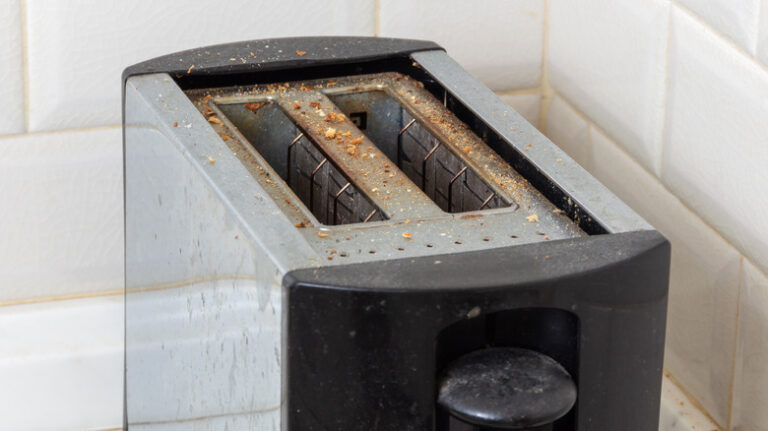
A crumb tray catches food pieces below the heating slots. Some toasters do not have one. In these models, crumbs may collect in the base, around the heating wires, or under the toaster.
Loose crumbs can burn the next time the toaster runs. A large buildup can also cause smoke or a burnt smell. Cleaning removes this buildup, but it does not make a damaged toaster safe to use.
Check the manual first
Look for the toaster’s model number on its base, side, or power cord label. The user manual may show a hidden bottom panel, a cleaning door, or a special cleaning method.
If the manual says not to turn the toaster upside down, follow the manual. Do not remove screws or open the case unless the manufacturer specifically allows it. Internal parts can hold an electrical charge, and opening the case can create a shock or fire risk.

How to Clean a Toaster Without a Crumb Tray
Clean the toaster only when it is unplugged and fully cool. The safest method is to remove dry crumbs first, brush away stuck pieces, and clean the outside last.
1. Unplug the toaster and let it cool
Remove the plug from the wall outlet. Do not rely on the toaster’s lever being up or its switch being off.
Wait until the toaster feels completely cool. If you used it recently, give it enough time for the metal parts and heating elements to cool down. Move the toaster to a clear counter away from water.
2. Remove loose objects from the slots
Look into each slot with a flashlight. Remove large, loose pieces that are easy to reach from the top.
Use your fingers only when the toaster is unplugged and the object is clearly accessible. Do not reach deep into a slot. Never use metal tongs or utensils.
If bread is stuck, do not force it out. A hard pull can damage the carriage or heating wires. Follow the instructions in the toaster manual or replace the toaster if the bread cannot be removed safely.
3. Turn the toaster upside down over a trash can
hold the toaster firmly with both hands. Keep the cord away from the floor and any water.
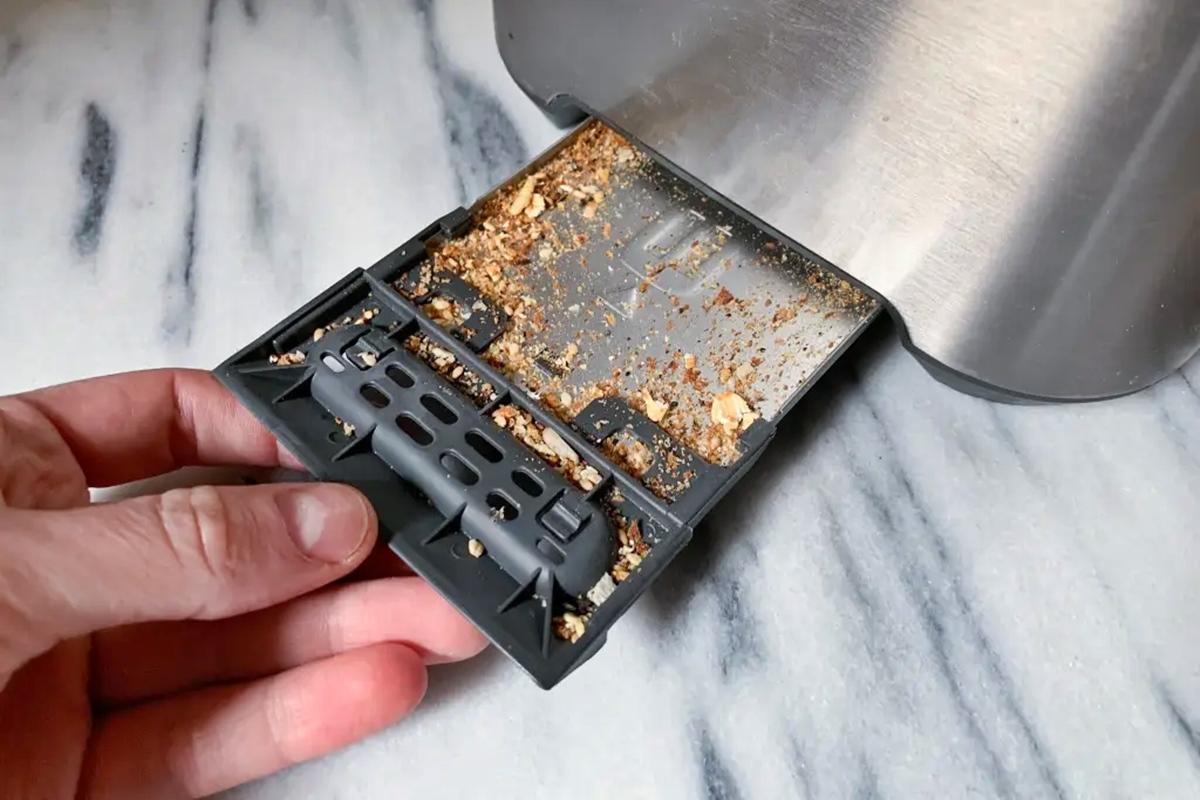
Turn the toaster upside down over a trash can. Give it a few gentle shakes and light taps on the sides. This should release dry crumbs from the lower openings.
Do not slam the toaster against a counter. Strong impacts can loosen internal parts or damage the lever mechanism.
4. Brush the inside of the slots
Return the toaster to its normal position. Use a soft, dry brush to sweep crumbs from the slot edges.
Move the brush gently. Avoid pressing against the heating wires. The wires are thin and can bend or break.
If the brush collects crumbs, remove them over the trash can. Repeat the upside-down shake if more crumbs fall out.
5. Vacuum loose crumbs near the openings
Use a vacuum with a narrow nozzle to collect crumbs around the slots and bottom vents. Keep the nozzle just above the opening when possible.
Use low suction if your vacuum allows it. Do not force the nozzle into the slot. A vacuum can remove loose debris, but it may not remove food stuck to the heating area.
Do not use a vacuum while the toaster is plugged in. Do not spray cleaner into the slots before vacuuming.
6. Clean the outside
Mix a small amount of mild dish soap with warm water. Dampen a microfiber cloth, then wring it out well.
Wipe the outside, lever, control buttons, and cord. The cloth should be damp, not wet. Keep all moisture away from the slots, vents, plug, and electrical parts.
Use a second dry cloth to remove moisture. Leave the toaster unplugged until it is fully dry.
7. Inspect the toaster before using it
Check the following areas:
- Heating wires that look bent, broken, or loose
- A cracked or melted housing
- A frayed power cord
- Burn marks near the slots
- A lever that does not stay down
- A burning smell that remains after cleaning
- Smoke during a short test
If you find damage, do not test the toaster. Replace it or ask a qualified appliance repair professional to inspect it.
8. Run a short test only when the toaster is dry
Once the toaster is completely dry and appears undamaged, plug it directly into a suitable wall outlet. Avoid using an extension cord unless the manufacturer permits it.
Run the toaster while you watch it. A brief smell from old crumbs may occur, but smoke, sparks, repeated popping, or a strong electrical odor is not normal. Unplug it at once if any of these signs appear.
A clean toaster should have clear slots, no loose crumbs falling from the base, and no unusual smoke or odor during normal use.

What You Should Never Do
Avoid actions that can cause shock, damage, or a fire.
- Do not wash the toaster. Water can reach live electrical parts.
- Do not submerge any part of the toaster.
- Do not spray cleaner into the slots.
- Do not use a knife, fork, pin, or screwdriver inside the toaster.
- Do not scrape heating wires.
- Do not shake the toaster while it is plugged in.
- Do not clean it while it is hot.
- Do not use compressed air indoors. It can spread crumbs deeper into the toaster and across the room.
- Do not open the case unless the manual gives clear instructions.
- Do not keep using a toaster that sparks, smokes heavily, or smells strongly of burning plastic.
The National Fire Protection Association advises keeping toasters away from water and combustible items and cleaning out crumbs. Those precautions matter even more when a toaster has no tray to collect debris.

How Often Should You Clean a Toaster Without a Crumb Tray?
Clean a toaster without a crumb tray at least once a week if you use it every day. Clean it more often if you toast crumbly bread, bagels, pastries, or foods with seeds.
Use this simple schedule:
| Use pattern | Suggested cleaning |
|---|---|
| Occasional use | Every few weeks |
| Daily use | Once a week |
| Several uses each day | Every few days |
| Heavy crumbs or smoke | Clean at once |
| Shared kitchen or office use | Inspect weekly and clean as needed |
Always remove crumbs after a food spill or when you smell burning. Waiting for a weekly cleaning can allow food to bake onto the heating area.
Shake out the toaster over a trash can before cleaning the counter. This keeps crumbs from spreading around the kitchen.

What to Do If the Toaster Still Smells or Smokes
A small amount of odor may come from crumbs that remain after cleaning. Persistent smoke or a sharp electrical smell points to a different problem.
If it smells like burnt bread
Unplug the toaster and let it cool. Turn it upside down again, then brush and vacuum around the slots.
Check whether a small piece of bread or pastry is stuck near a heating wire. Do not remove it with metal. If you cannot reach it safely, stop using the toaster.
If it smells like burning plastic
Unplug the toaster immediately. Burning plastic can indicate a damaged cord, melted housing, or an electrical fault.
Do not run another test. Replace the toaster or have it inspected by a qualified repair professional.
If it sparks
Stop using the toaster. Sparks may result from damaged heating wires, a short circuit, or metal touching an electrical part.
Do not open the case to investigate. A toaster that sparks is not safe to keep testing.
If crumbs will not come out
Some crumbs may be trapped behind internal supports. Do not force a brush or vacuum nozzle into the toaster.
Read the manual for a cleaning door or bottom access panel. If no safe access is provided, routine cleaning may not remove all debris. Replacement is often safer than disassembly.
If the lever will not stay down
First confirm that the toaster is plugged into a working wall outlet. If the lever still will not stay down, the toaster may have a failed control or electrical part.
Do not bypass the lever or hold it down by hand. Stop using the toaster if the mechanism does not work normally.
Toaster Cleaning: Common Questions
Can I use water to clean a toaster without a crumb tray?
Use water only on a cloth for the outside. Never pour, spray, or drip water into the slots, vents, base, or control area. Make sure the toaster is unplugged and fully dry before use.
Can I use a hair dryer to blow crumbs out?
It is better not to. Air from a hair dryer can push crumbs deeper into the toaster or spread them near other appliances. A gentle upside-down shake, soft brush, and low-suction vacuum are safer choices.
Can I use a can of compressed air?
Avoid compressed air for routine toaster cleaning. It may drive crumbs into internal areas that are hard to clean. It can also scatter debris onto nearby surfaces.
How do I clean a toaster after a bagel gets stuck?
Unplug the toaster and wait for it to cool. Do not use a knife or fork. If the bagel will not come out with gentle handling from the top, follow the manual or replace the toaster.
Is it safe to use a toaster with no crumb tray?
A toaster can be used without a crumb tray if it was designed that way and remains in good condition. It needs more frequent crumb removal. Stop using it if it has a damaged cord, broken heating wires, cracks, sparks, or persistent smoke.
Should I replace a toaster that cannot be cleaned fully?
Replace it when crumbs remain trapped near damaged heating parts, the toaster shows electrical damage, or safe cleaning requires opening the case. A low-cost appliance is not worth a shock or fire risk.
Key Takeaways
- Unplug and cool the toaster before cleaning.
- Turn it upside down over a trash can and shake it gently.
- Use a soft, dry brush and low-suction vacuum near the slots.
- Never put water, cleaner, or metal tools inside.
- Clean a frequently used toaster about once a week.
- Replace or professionally inspect a toaster that sparks, smokes, or smells like burning plastic.
Conclusion
The safest way to clean a toaster without a crumb tray is to use dry methods first. Unplug the toaster, cool it fully, shake out loose crumbs, brush the slots, and vacuum only near the openings. Wipe the outside with a damp cloth, then let the toaster dry completely.
If crumbs remain trapped or the toaster shows electrical damage, do not take apart the case or keep testing it. Follow the model manual, seek qualified repair help, or replace the appliance.