How To Clean Crumbs Out Of A Toaster: Easy Safe Guide
To clean crumbs out of a toaster, unplug it, let it cool, remove and wash the crumb tray, then turn the toaster upside down and gently brush out loose crumbs. Never put your hands, knives, forks, or other metal tools inside the slots. For U.S. homes, this simple routine helps reduce burnt smells, smoke, and fire risk while keeping the toaster in good working order.

What You Need Before Cleaning a Toaster
Gather these items before you start:
- A dry sink or work area
- A soft pastry brush or clean, dry toothbrush
- A damp cloth
- Mild dish soap
- A dry towel
- A trash can or sheet of paper for catching crumbs
Check the toaster’s owner’s manual if you have it. Some models have a removable crumb tray. Others have a hinged or fixed tray. The manual will show where the tray is and whether any parts are dishwasher-safe.
Do not use water inside the toaster. A toaster contains electrical parts that can remain dangerous if they become wet. You should clean only the outside and removable parts with moisture.
Safety checks first
Before cleaning:
- Unplug the toaster from the wall outlet.
- Let it cool fully if it was recently used.
- Move it to a clear, dry surface.
- Remove bread, bagels, or other items from the slots.
- Keep the cord and plug away from water.
The U.S. Consumer Product Safety Commission advises consumers to unplug small appliances when they are not in use. This is especially important while cleaning because tools, crumbs, and moisture can create an electrical hazard.
How to Clean Crumbs Out of a Pop-Up Toaster
Use this step-by-step method for a standard two-slice or four-slice toaster.
1. Unplug and cool the toaster
Pull the plug from the wall outlet. Do not rely only on turning the toaster off with its lever or control button.
Wait until the toaster is cool to the touch. Bread crumbs can stay hot after a cycle, especially near the heating elements. Cleaning a hot toaster can also cause burns.
2. Remove the crumb tray
Look along the bottom edge of the toaster. The tray may slide out from the front, side, or rear.
Pull it out slowly. If it feels stuck, do not force it. Look for a release tab or check the manual. Forcing the tray can bend it or damage the toaster housing.
3. Empty the tray
Hold the tray over a trash can and discard the crumbs. If the crumbs contain melted cheese, sugar, or grease, wipe them away rather than rinsing the tray at once.
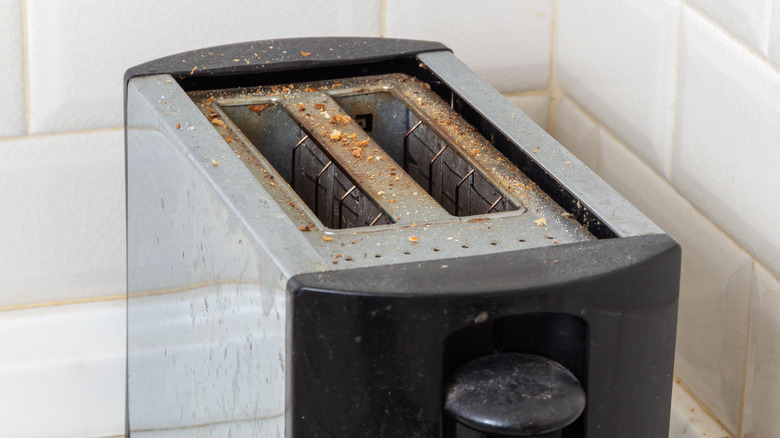
A thick layer of old crumbs can burn during later toast cycles. It can also create smoke and a burnt odor.
4. Wash and dry the tray
If the tray is washable, clean it with warm water and a small amount of dish soap. Use a soft sponge or cloth.
Rinse away soap and dry the tray completely. Do not put the tray back while it is damp. Water near electrical parts can damage the appliance or create a shock risk.
If the manual says the tray is not washable, wipe it with a slightly damp cloth and then dry it.
5. Brush crumbs from the slots
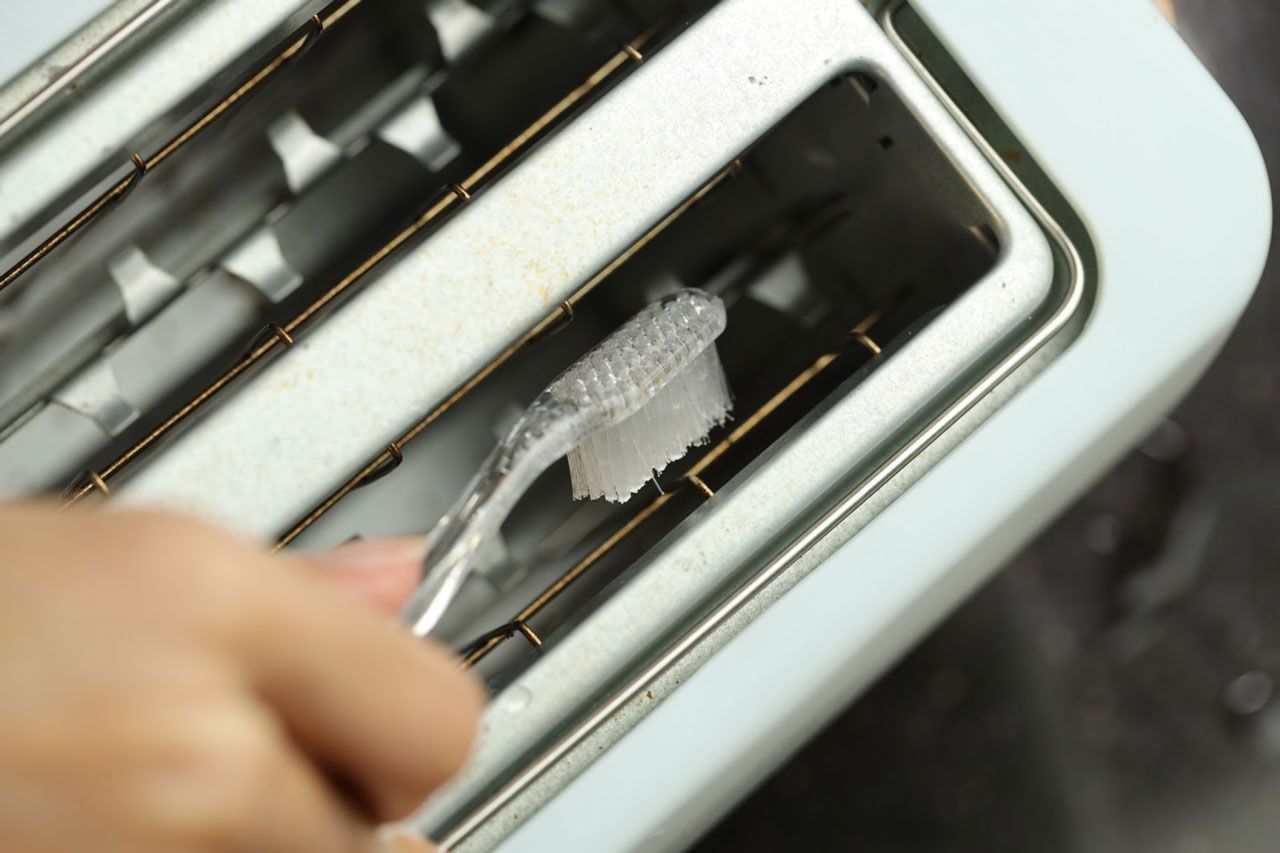
Place the toaster over a trash can or a clean sheet of paper. Use a soft, dry brush to loosen crumbs inside each slot.
Brush gently around the slot walls. Do not press the brush deep into the toaster. Avoid contact with the heating wires and internal supports.
A dry pastry brush works well because its soft bristles can collect crumbs without scraping the metal parts.
6. Turn the toaster upside down
With the cord still unplugged, hold the toaster over the trash can. Turn it upside down and give it a few gentle shakes or taps.
Do not slam the toaster against a counter. Strong impacts may damage the control mechanism, heating parts, or internal wiring.
Turn the toaster upright again. Brush out any crumbs that remain near the slots.
7. Reinstall the dry tray
Slide the clean, dry crumb tray back into place. Make sure it sits flat and locks or closes as designed.
Do not operate the toaster without its crumb tray if the manufacturer says the tray must remain installed. A missing tray may allow crumbs to collect in the base.
8. Wipe the outside
Dampen a cloth with water and wring it out well. Wipe the controls, sides, top, and handle.
For sticky residue, use a small amount of mild dish soap on the cloth. Do not spray cleaner directly onto the toaster.
Dry the exterior before plugging the appliance back in.

How to Clean Crumbs From a Toaster Without a Removable Tray
Some toasters do not have a removable crumb tray. You can still remove loose crumbs safely.
- Unplug the toaster and let it cool.
- Hold it over a trash can.
- Turn it upside down.
- Tap the base lightly with your open hand.
- Use a soft, dry brush at the slot openings.
- Repeat until no loose crumbs fall out.
Do not insert a knife, fork, butter knife, screwdriver, or other hard object into the slots. The object could touch the heating element or internal electrical parts. It could also damage the toaster and cause a shock or fire hazard the next time you use it.
Avoid using a household vacuum inside the slots unless the toaster’s manual specifically permits it. A vacuum may pull loose parts, catch on internal components, or push crumbs into areas that are hard to clean.

How to Remove Burnt Crumbs and Sticky Food
Burnt crumbs can cause smoke and a strong odor. Remove them only after the toaster is unplugged and cold.
First, empty the crumb tray. Then brush the slots gently and turn the toaster upside down over a trash can. If food has melted onto the tray, soak the removable tray in warm, soapy water only if the manual allows it.
Do not scrape heating elements. Do not use oven cleaner, bleach, abrasive powder, or flammable solvent. These products can damage the finish, leave harmful residue, or create a hazard when the toaster heats up.
If cheese, sugar, oil, or another food has melted inside the toaster, stop cleaning and check the manufacturer’s instructions. A toaster with food stuck to its heating parts may need professional service or replacement.

How Often Should You Clean a Toaster?
Clean the crumb tray about once a week if you use the toaster every day. Clean it more often if you toast crumbly bread, pastries, bagels, or foods with seeds.
A useful schedule looks like this:
| Toaster use | Suggested cleaning |
|---|---|
| Daily use | Empty the tray weekly |
| Several times per week | Empty the tray every two to four weeks |
| Occasional use | Check the tray before and after long periods of storage |
| Heavy crumbs or frequent smoke | Clean the toaster at once |
These are practical maintenance intervals, not universal manufacturer rules. Your toaster may need more frequent cleaning if crumbs build up quickly.
Clean the toaster immediately if you notice:
- Smoke during normal use
- A burnt smell that continues after the cycle
- Crumbs falling from the bottom
- Uneven browning caused by debris
- A tray that is full or difficult to close

Common Mistakes to Avoid
Cleaning while the toaster is plugged in
An unplugged toaster is safer to handle. Turning the control to “off” does not remove power from the appliance.
Pouring water into the slots
Water can reach electrical parts and heating elements. Never rinse, dunk, or spray the toaster body.
Using metal tools
Metal tools can conduct electricity and damage the heating elements. They can also cause a short circuit.
Shaking the toaster too hard
Gentle tapping is enough for loose crumbs. Hard impacts can damage internal parts.
Putting back a damp crumb tray
Let the tray dry fully before reinstalling it. A damp tray can add moisture near electrical components.
Cleaning with the wrong products
Avoid flammable cleaners and harsh chemicals. Use a dry brush for the inside and a mild, damp cloth for the exterior.
Toasting loose food inside the slots
Do not use a pop-up toaster to heat foods that can melt, drip, or shed large amounts of filling unless the appliance manual specifically permits them. Cheese, frosting, butter, and greasy foods can create smoke or damage the toaster.

What to Do if the Toaster Still Smokes or Smells Burnt
If the toaster smokes, unplug it if you can do so safely. Keep it away from flammable items and allow it to cool.
After it cools, remove the crumb tray and clean away loose crumbs. If smoke returns during the next use, stop using the toaster. The cause may be trapped food, a damaged heating element, a faulty control, or an electrical problem.
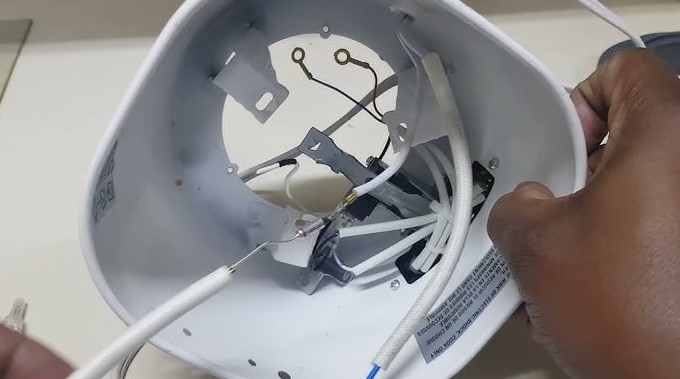
Do not open the toaster housing unless you are qualified to repair small appliances and the manufacturer permits service. Internal repair can expose live electrical parts and may void the warranty.
Replace the toaster or seek qualified service if it has:
- A damaged cord or plug
- Sparks
- A burning electrical odor
- A lever that will not stay down
- Heating elements that glow unevenly or remain on
- A cracked case
- Repeated smoke after cleaning
If you see flames, unplug the appliance only if you can do so without touching the fire or reaching through smoke. Never pour water on an energized appliance. Use a suitable fire extinguisher and call 911 if the fire does not stop immediately.

Key Takeaways
- Unplug the toaster and let it cool before cleaning.
- Empty and wash the crumb tray if the manual allows it.
- Use a soft, dry brush for crumbs inside the slots.
- Turn the toaster upside down and tap it gently over a trash can.
- Never insert metal tools or pour water into the toaster.
- Stop using the appliance if it sparks, smokes repeatedly, or smells like burning plastic or wiring.
Frequently Asked Questions
Can I use compressed air to clean a toaster?
Avoid compressed air unless the toaster’s manufacturer specifically recommends it. Air pressure can drive crumbs deeper into the appliance or spread debris onto heating parts. A soft, dry brush and gentle upside-down tapping are safer general methods.
Can I wash a toaster in the sink?
No. Never place the toaster body in water or rinse it under a faucet. Only clean a removable tray according to the manufacturer’s instructions.
Should I clean a toaster before using it for the first time?
Check the manual first. A new toaster may have dust from packaging, but you should not open the housing or use water inside it. Wipe the outside, remove packaging, and run it only as the manual directs.
Why does my toaster smell burnt after cleaning?
A small amount of odor may come from crumbs that remain near the heating elements. If the smell is strong, electrical, or returns after more cleaning, stop using the toaster. It may have an internal fault or melted food residue.
How do I clean crumbs from a toaster oven?
Unplug the toaster oven and let it cool completely. Remove the rack, baking tray, and crumb tray if the model has one. Brush out loose crumbs, wash removable parts as directed, and wipe the interior with a damp cloth. Never immerse the toaster oven or wet its heating elements.
Conclusion
The safest way to clean crumbs out of a toaster is to unplug it, cool it, empty the crumb tray, brush the slots, and turn it upside down over a trash can. Use no metal tools, no sprays, and no water inside the appliance. If cleaning does not stop smoke, sparks, or a burning odor, replace the toaster or have it checked by a qualified professional.