How To Turn On A Toaster: Easy Step-By-Step Guide
In U.S. kitchens, most pop-up toasters turn on when you plug them into a wall outlet, place bread in a slot, and press the lever down. Set the browning dial first, keep the toaster on a dry, level counter, and watch for the toast to pop up. Never place a knife or fork inside a plugged-in toaster.
What You Need Before Turning On a Toaster
Before you use a toaster, check the appliance, the bread, and the outlet. Most toasters need only a working household outlet and sliced bread that fits inside the slot.
Check these items first:
- The toaster is on a dry, stable surface.
- The power cord has no cuts, melted areas, or loose parts.
- The crumb tray is in place.
- The bread fits without force.
- The outlet is easy to reach.
- The toaster is away from water, curtains, paper, and other items that can burn.
A toaster is a small heating appliance. It uses electric heating elements to brown bread, so the sides, top, and inside parts may become hot. Keep the toaster clear on all sides while it runs.
Do not use a toaster if it smells like burning plastic, produces smoke, sparks, or gives you an electric shock. Unplug it and stop using it until a qualified repair professional checks it.
How to Turn On a Toaster
Follow these steps to turn on and use a standard pop-up toaster.
1. Place the toaster correctly
Set the toaster on a flat, dry, heat-resistant counter. Leave space above it and around its sides. Do not put it inside a cabinet while it is running.
The toaster needs open space so heat can escape. A crowded area can heat nearby objects and make the cord harder to reach in an emergency.
2. Plug the toaster into the outlet
Insert the toaster’s plug into a suitable wall outlet. Make sure your hands are dry before touching the plug.
Avoid using a damaged extension cord or power strip unless the toaster’s manual specifically allows it. A toaster draws a high amount of power for a short time. A loose or unsuitable connection can become hot.
3. Set the browning level
Find the browning control, which is usually a numbered dial or slider on the front or side of the toaster.
Use a low setting for lightly browned toast. Use a higher setting for darker toast. If you are using the toaster for the first time, begin with a medium or low setting. Toasting results vary by bread type, moisture, slice thickness, and the toaster itself.
The number does not always represent minutes. On many models, it represents a relative heat or time setting. Follow the manual if the controls are not clear.
4. Put the bread into the slot
Place one slice of bread into each open slot. The bread should slide in freely. Do not push thick bread into the opening.
Keep your fingers above the slots. Do not place metal objects, utensils, or other items inside the toaster.
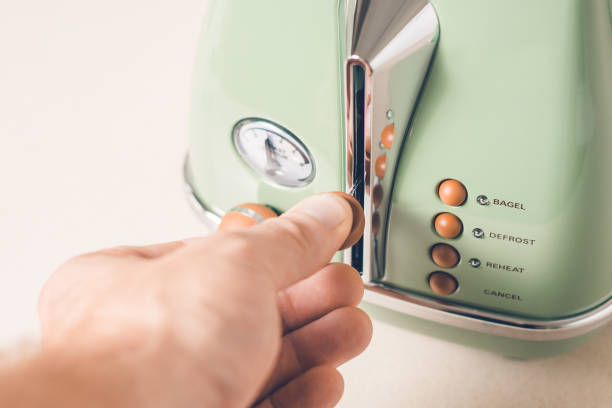
5. Press the lever down
Push the lift lever down until it stays in the lowered position. This action lowers the bread and starts the heating cycle on most standard toasters.
If the lever will not stay down, the toaster may not have power. Check the outlet and plug. Some models also require the lever to be pushed fully down before the heating cycle begins.
6. Wait for the toast to pop up
The toaster will heat the bread and then release the lever when the cycle ends. The toast should rise automatically.
When the toast pops up, check its color before eating it. If it is too light, lower it for another short cycle. If it is too dark, use a lower setting next time.
7. Unplug the toaster when finished
Many modern toasters stop heating after the toast rises, but the appliance may still be connected to electricity. Unplug the toaster when you finish using it, especially before cleaning, moving, or storing it.
Pull the plug, not the cord, when disconnecting the appliance.

How Toaster Controls Work
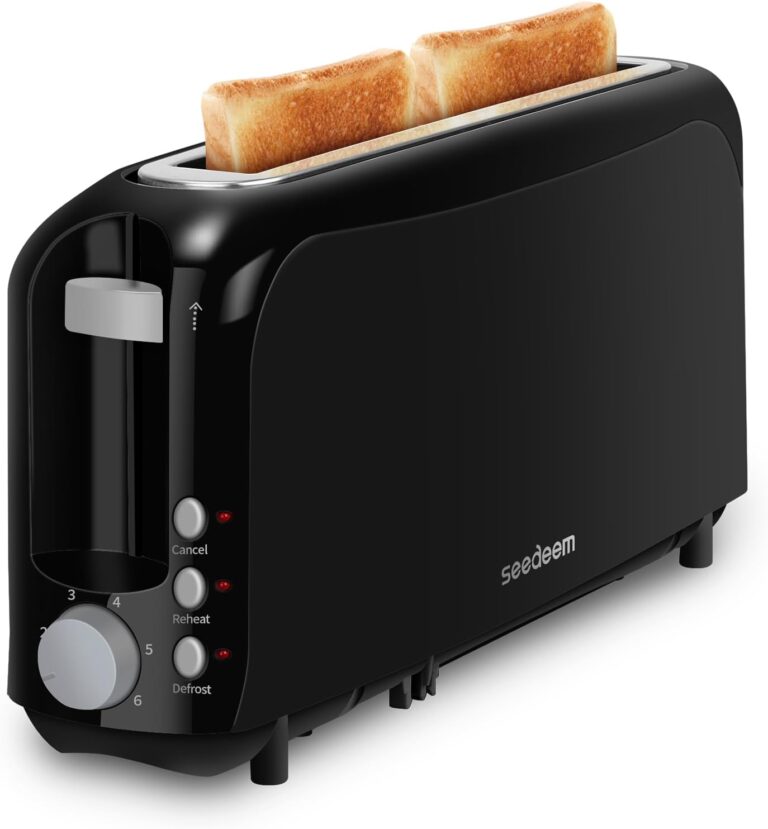
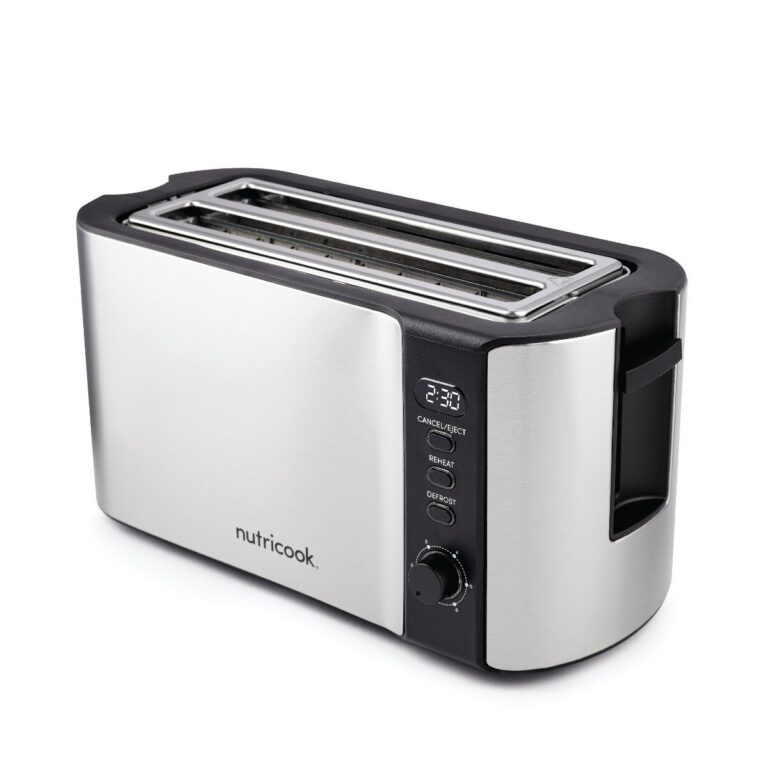
Most pop-up toasters use a few basic controls. Learning what each one does can help you use the toaster without guessing.
| Control | What it does | When to use it |
|---|---|---|
| Browning dial or slider | Changes the toast cycle | Choose a low setting for pale toast and a higher setting for darker toast |
| Lift lever | Lowers the bread and starts the cycle | Press it down after placing bread in the slot |
| Cancel button | Stops the cycle early | Use it if the toast is burning or you need to stop the toaster |
| Reheat button | Warms toast for a short cycle | Use it when toast has cooled but does not need more browning |
| Bagel button | Heats one side more than the other on some models | Use it only when the manual explains which side faces out |
| Defrost button | Adds time for frozen bread | Use it for frozen slices when the toaster includes this function |
The cancel button is the safest way to stop most toasters. Do not pull out the bread with a fork or knife while the toaster is plugged in.
Some toasters include a high-lift feature. This lets you raise small items higher so you can remove them without putting your fingers near the hot slot.
What to Do if the Toaster Will Not Turn On
If pressing the lever does nothing, check the simplest and safest causes first.
Check the outlet
Plug another small appliance into the same outlet to see whether it works. If the outlet has no power, check the circuit breaker or reset button on a ground-fault circuit interrupter, also called a GFCI outlet.
Do not reset a breaker repeatedly if it trips again. A repeated trip can point to a wiring or appliance problem.
Check the plug and cord
Make sure the plug is fully inserted. Look for frayed insulation, burn marks, bent prongs, or a loose connection.
Do not tape over damaged wiring or continue using a cord that becomes hot. Replace the toaster or have it assessed by a qualified professional.
Make sure the lever is fully lowered
Some toaster levers must reach the bottom position before the appliance starts. Press gently but firmly. Do not force the lever if it sticks.
A stuck lever may indicate crumbs, a worn mechanism, or an internal fault.
Remove crumbs only after unplugging
Unplug the toaster and let it cool. Pull out the removable crumb tray and empty it over a trash can. Do not shake a plugged-in toaster over a sink or place it under running water.
If crumbs are trapped inside, follow the cleaning instructions in the manual. Do not insert metal tools into the slots.
Stop if you see smoke or sparks
A small amount of odor may occur when a new appliance is used for the first time, but smoke, flames, sparks, or a strong burning smell are warning signs.
If it is safe to do so, press the cancel button and unplug the toaster. If you see flames, do not pour water on the appliance. Leave the area and call emergency services if the fire does not stop quickly.

Safety Rules for Using a Toaster
Safe toaster use depends on keeping heat, electricity, and combustible materials apart.
Follow these rules:
- Never put your hand, fork, knife, or other metal object into a plugged-in toaster.
- Do not toast bread with loose toppings that can fall into the appliance.
- Use a toaster oven instead of a pop-up toaster for pizza, pastries, sandwiches, or foods that need a tray.
- Do not cover a toaster while it is plugged in or hot.
- Keep children away from the appliance during and after use.
- Do not leave a toaster running when you leave the kitchen.
- Keep the cord away from hot surfaces and the edge of the counter.
- Do not use a toaster near a sink or where water may splash.
- Empty the crumb tray regularly.
- Let the toaster cool before storing it.
- Unplug it before cleaning or moving it.
Do not toast food wrapped in foil unless the manufacturer’s instructions specifically permit it. Foil can affect heating and may create a fire or electrical hazard.
If bread becomes stuck, unplug the toaster first. Wait until it cools, then turn the toaster upside down over a clear surface only if the manual permits this method. Never pry the bread out while the toaster is connected to power.

How to Get Even Toast
Start with a medium setting and adjust it based on the result. Bread with more moisture may need a longer cycle. Thin, dry, or already browned bread may darken quickly.
Use these simple adjustments:
- Toast too pale: Increase the browning setting slightly or run a short second cycle.
- Toast too dark: Lower the setting and watch the next cycle.
- One side is darker: Check whether the bread sits evenly in the slot. If the problem continues, the toaster may have an internal heating fault.
- Bread pops up too soon: Check the setting and whether the lever is fully lowered.
- Bread burns before it pops up: Press the cancel button, unplug the toaster after it cools, and clean the crumb tray. Stop using it if the problem repeats.
- Small bread is hard to remove: Use the high-lift lever if the toaster has one. Do not reach into the slot while it is plugged in.
Different bread types may toast at different speeds. White sandwich bread, whole-wheat bread, sourdough, English muffins, and frozen slices do not always need the same setting.

Pop-Up Toaster vs. Toaster Oven
A pop-up toaster is designed for bread slices and similar items that fit inside its slots. A toaster oven uses a rack or tray and is better for foods that need more space or direct supervision.
Use a pop-up toaster for:
- Sliced bread
- English muffin halves
- Plain bagels, when the toaster has a bagel setting
- Frozen bread, when the toaster has a defrost setting
Use a toaster oven for:
- Pizza
- Open-faced sandwiches
- Thick pastries
- Foods with cheese or loose toppings
- Items that need a tray or rack
Never place food into a pop-up toaster if it is too large, covered in wet ingredients, or likely to drip. Such food can block the mechanism or touch the heating elements.

Frequently Asked Questions
Do I press the lever before or after putting bread in the toaster?
Put the bread in first, then press the lever down. This lowers the bread into the slot and starts the heating cycle on most pop-up toasters.
Why does my toaster lever not stay down?
The toaster may not have power, the plug may be loose, or the lever may not be fully lowered. Check the outlet and cord. If the lever still will not stay down, unplug the toaster and stop using it until it is repaired or replaced.
Can I use a fork to remove stuck toast?
No. Unplug the toaster first and let it cool. A fork can conduct electricity and may cause an electric shock if the toaster is still connected.
Should I unplug a toaster after using it?
Yes. Unplugging the toaster after use removes power before you clean, move, or store it. This is especially useful if the toaster has damage or a control that does not work correctly.
How often should I clean a toaster?
Empty the crumb tray when it contains crumbs and clean the toaster according to its manual. Always unplug the appliance and let it cool before cleaning. Never immerse a toaster in water.
Key Takeaways
- Place the toaster on a dry, clear counter.
- Set the browning level before starting.
- Put bread into the slot, then press the lever down.
- Use the cancel button to stop the cycle.
- Never insert metal into a plugged-in toaster.
- Unplug the appliance before cleaning or removing stuck food.
- Stop using the toaster if it sparks, smokes, shocks you, or has a damaged cord.
Conclusion
To turn on a standard toaster, plug it into a safe outlet, set the browning control, place bread in the slot, and press the lever down. The toast should rise when the cycle ends. If the toaster does not work, check the outlet and cord, clean it only after unplugging, and stop using it when you see smoke, sparks, or damage.