How To Use A Black And Decker Toaster: Quick Guide
For kitchens in the United States, using a Black+Decker toaster is simple: plug it into a grounded outlet, choose a browning level, place bread in the slots, lower the lever, and wait for the toast to pop up. The exact buttons vary by model, so use the control labels on your toaster and check its manual before using special settings.

Before You Use Your Black+Decker Toaster
Place the toaster on a dry, flat, heat-safe surface with open space around it. Keep it away from water, curtains, paper towels, and the edge of the counter.
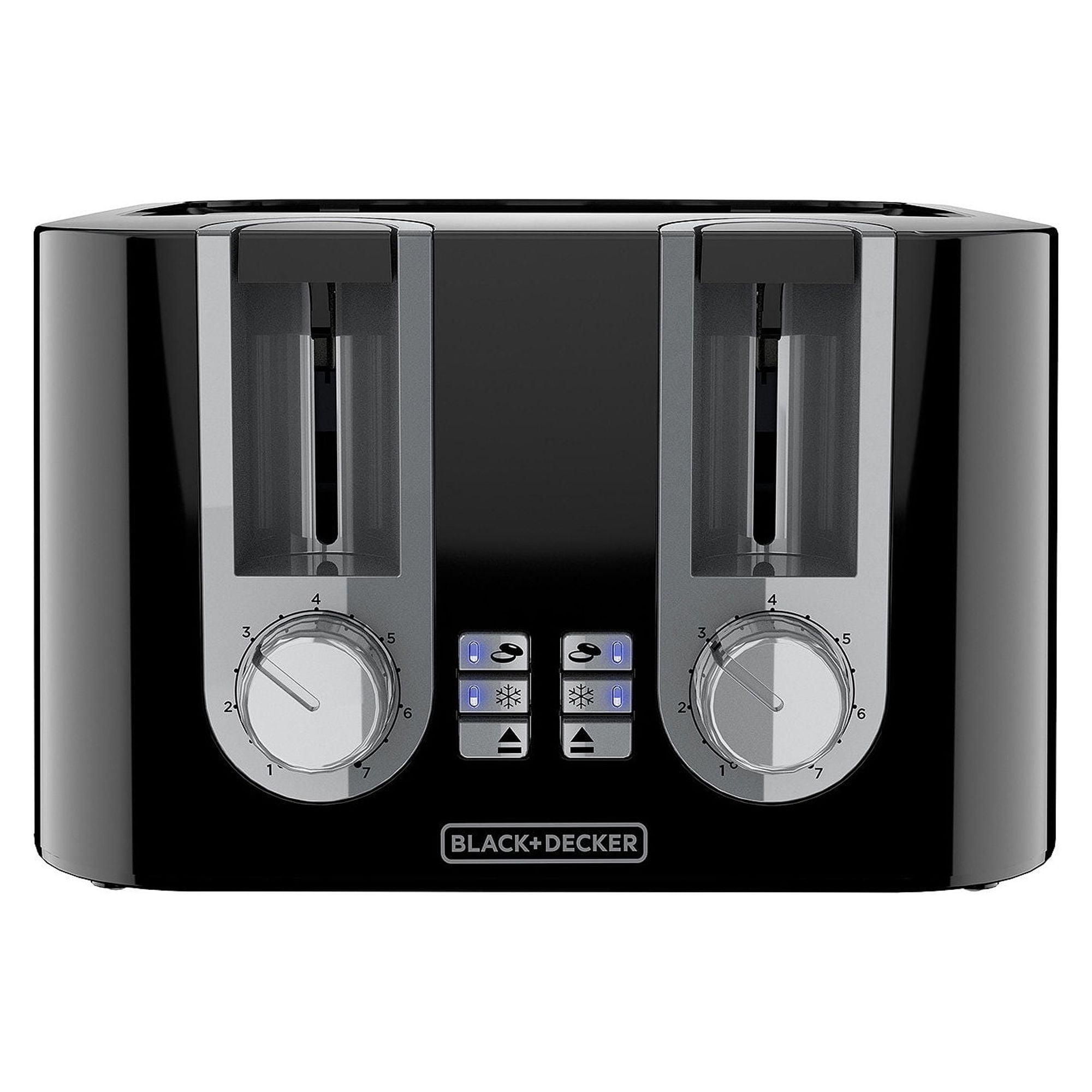
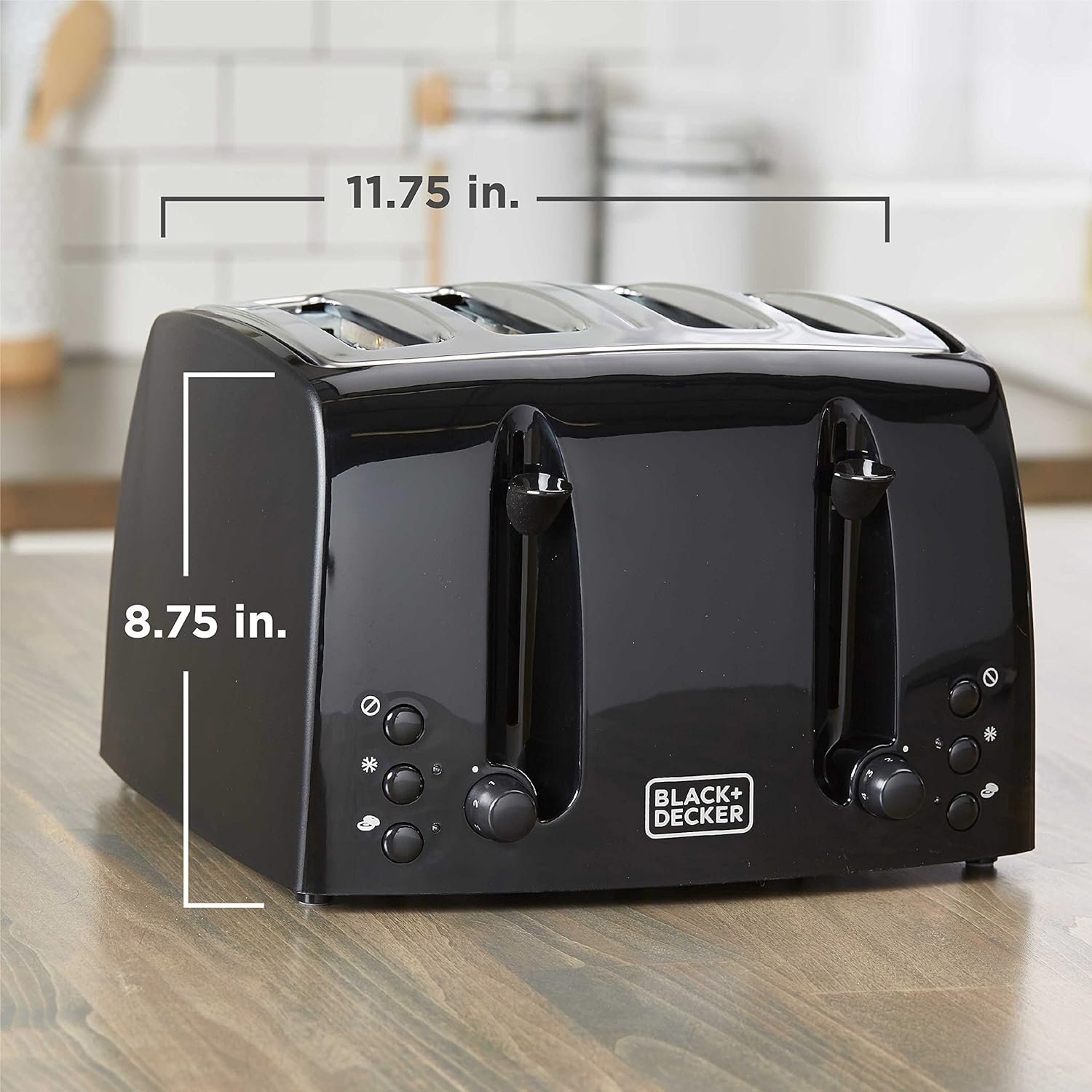
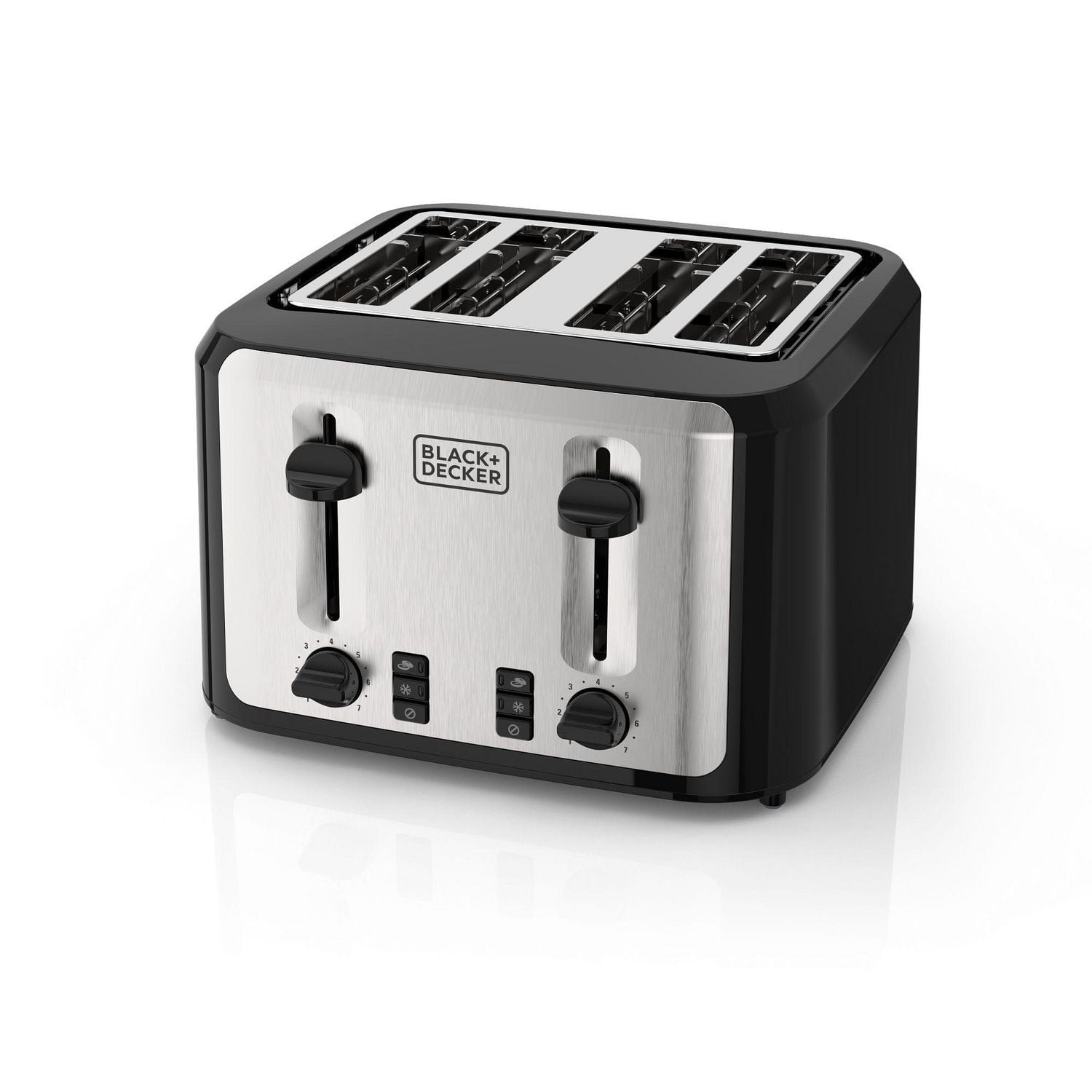
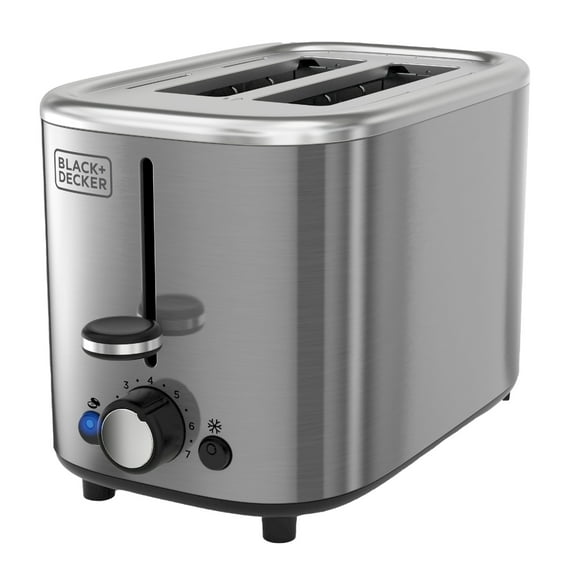
Most Black+Decker toaster models have these parts:
- Toasting slots: Openings for bread or other approved foods.
- Carriage lever: Lowers the food into the toaster and starts the heating cycle.
- Shade selector: Sets how light or dark the toast will be.
- Cancel button: Stops the cycle and raises the food.
- Bagel button: Toasts the cut side while warming the outer side on models with this feature.
- Frozen button: Adds time for frozen bread on models with this feature.
- Reheat button: Warms toast without starting a full browning cycle on some models.
- Crumb tray: Collects crumbs and slides out for cleaning.
Before the first use, remove all packing materials. Do not place anything into the slots while the toaster is plugged in. A new toaster may produce a mild smell during its first cycle, but stop using it if you see smoke, sparks, or melting plastic.
How to Use a Black+Decker Toaster
Follow these steps for standard bread:
-
Plug in the toaster.
Use a properly installed household outlet in the United States. Do not use the toaster near a sink or other water source. -
Set the shade level.
Turn the shade dial to a low number for light toast or a higher number for darker toast. Start with a middle setting if you do not know how the toaster behaves. -
Place the food in the slots.
Use slices that fit freely. Do not force thick bread into the slots. Keep food centered so it does not touch the heating elements. -
Lower the lever.
Push the lever down until it locks. The toaster should begin heating. If the lever will not stay down, confirm that the toaster is plugged in and that the outlet works. -
Wait for the cycle to finish.
The toaster will usually switch off and raise the food automatically. Do not leave the toaster unattended while it is running. -
Remove the toast carefully.
Toast and the top of the toaster may be hot. Let the food cool before eating or handling it. -
Press Cancel when needed.
Press the Cancel button to stop the cycle early. The lever should rise, allowing you to remove the food.
Choosing the right shade setting
Shade numbers do not represent a universal temperature or time. A “4” on one model may produce different results from a “4” on another model.
Use this method:
| Desired result | Starting approach |
|---|---|
| Light toast | Choose a low setting |
| Medium toast | Start near the middle |
| Dark toast | Choose a higher setting |
| Frozen bread | Use the Frozen function if available |
| Toast that is already warm | Use Reheat if available |
Bread type also changes the result. White bread, whole-wheat bread, sourdough, English muffins, and frozen bread can brown at different speeds. Adjust the dial one step at a time instead of making a large change.
How to use the bagel setting
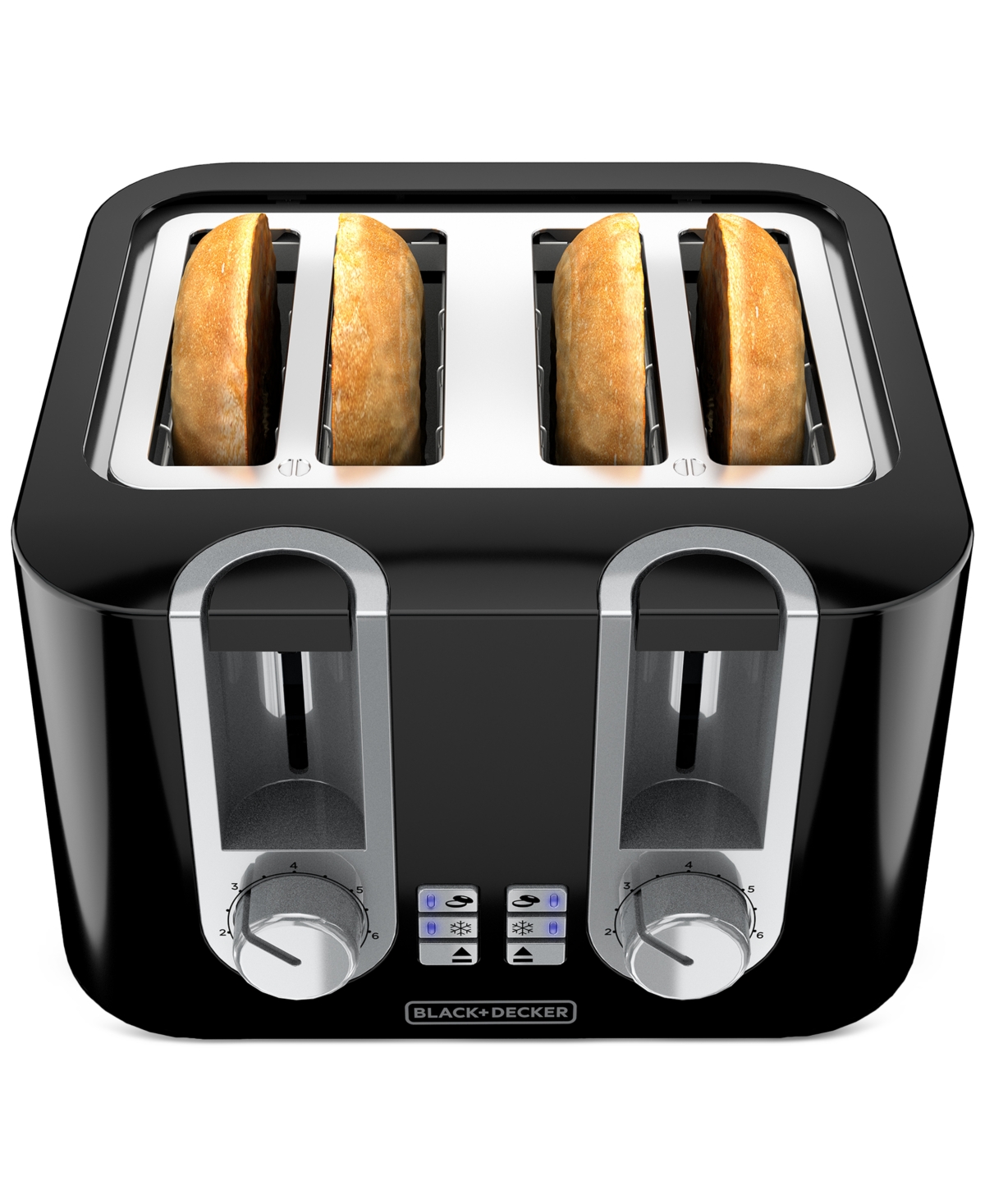
If your Black+Decker toaster has a Bagel button, use it for a sliced bagel:
- Place the bagel halves in the slots with the cut sides facing inward, if the model’s instructions show that arrangement.
- Lower the carriage lever.
- Press Bagel.
- Select a shade level.
- Wait for the cycle to end.
The bagel function is designed to toast one side more than the other. Do not use it with a whole, unsliced bagel.
Because slot design differs, check the model manual for the correct bagel position. If the bagel does not fit without force, do not use it in the toaster.
How to toast frozen bread
Use the Frozen button when your model includes one:
- Put the frozen slice into the slot.
- Lower the lever.
- Press Frozen.
- Choose the shade level.
- Let the cycle finish.
The Frozen function usually adds heating time so frozen bread can thaw and brown. It does not mean that every frozen food is safe to place in the toaster. Avoid frozen foods with icing, filling, coating, or loose pieces unless the manual specifically approves them.
How to use the Reheat function
The Reheat setting is meant for toast that has cooled but does not need much more browning:
- Place the toast in the slot.
- Lower the lever.
- Press Reheat, if available.
- Remove the toast when the cycle ends.
Watch the food during reheating. Dry toast can brown quickly, especially if it was already dark.
What You Can and Cannot Put in a Toaster
A Black+Decker toaster is made mainly for dry bread products that fit safely in the slots. Suitable items may include:
- Sliced bread
- English muffins
- Plain bagel halves
- Frozen bread, when the Frozen function is used
- Some waffles or toaster pastries, only if the product packaging and toaster manual allow them
Avoid putting these items in a standard toaster:
- Bread with butter, oil, cheese, or wet toppings
- Meat or foods with loose fillings
- Whole bagels
- Oversized or forced slices
- Foods covered with icing or sugar that can melt
- Aluminum foil
- Metal utensils
- Plastic-wrapped food
- Anything wet
Never insert a knife, fork, spoon, or other metal object into the toaster. If food becomes stuck, unplug the toaster and let it cool fully before trying to remove it. Use wooden or silicone tools only if the manufacturer permits them, and never reach into the slots while the toaster is connected to power.
A toaster should not be used to warm plates, sandwiches with wet fillings, or foods that can drip into the heating chamber. Use an oven, toaster oven, or another appliance designed for those foods.
How to Clean a Black+Decker Toaster
Clean the crumb tray often and wipe the outside with a slightly damp cloth. Always unplug the toaster and let it cool before cleaning.
Clean the crumb tray
- Unplug the toaster.
- Wait until it is completely cool.
- Pull out the crumb tray.
- Empty the crumbs into a trash can.
- Wipe the tray clean and dry it fully.
- Slide the tray back into place.
Do not operate the toaster without the crumb tray if the model is designed to use one. Do not wash the toaster body in water or place it in a dishwasher.
Remove loose crumbs
With the toaster unplugged and cool, hold it over a sink or trash can and gently turn it upside down. Shake it lightly. Do not hit the toaster against a hard surface, because this may damage the controls or heating parts.
Do not use compressed air inside the toaster. Air pressure can push crumbs deeper into the appliance.
Clean the outside
Wipe the exterior with a soft, damp cloth. For stubborn marks, follow the cleaning instructions in the owner’s manual. Keep water away from the slots, lever, buttons, and electrical cord.
Clean the toaster more often if you use crumb-heavy foods such as seeded bread or English muffins. Excess crumbs can smoke or burn during later cycles.
Black+Decker Toaster Troubleshooting
Check the safest and simplest causes first. Unplug the toaster before inspecting it, cleaning it, or removing stuck food.
The toaster will not turn on
Possible causes include:
- The plug is not fully inserted.
- The outlet has no power.
- A circuit breaker or ground-fault outlet has tripped.
- The lever was not pushed down far enough.
- The toaster has an internal fault.
Try another known-working outlet. If the toaster still does not operate, stop using it. Do not open the housing or attempt electrical repairs at home.
The lever will not stay down
The lever may not lock if the toaster has no power. Check the outlet first. If the outlet works and the lever still will not stay down, the toaster may have a damaged control or internal component.
Do not hold the lever down by hand. This defeats the toaster’s normal controls and can create a fire risk.
The toast is too light
Increase the shade setting by one step and run another cycle. Also consider whether the bread is very fresh, thick, moist, or frozen. Use the Frozen function for frozen bread when available.
Do not repeatedly run very dark or dry bread through the toaster without watching it.
The toast is too dark or burns
Lower the shade setting. Remove crumbs from the tray, since old crumbs can burn and create smoke. Make sure the bread is not too thin, dry, or small for the slot.
If the toaster produces smoke during normal use after cleaning, unplug it and stop using it until the cause is identified. Persistent smoke, sparks, a burning electrical smell, or a hot cord requires discontinuing use.
The toast is uneven
Uneven browning can result from different bread thicknesses, moisture levels, or slice positions. Try slices of similar size and use the same slot for comparison.
If one slot consistently burns food or fails to heat, the toaster may have a fault. Do not continue using a damaged slot.
The bread is stuck
- Press Cancel, if the controls respond.
- Unplug the toaster.
- Let it cool completely.
- Remove the food without using metal.
- Check for crumbs or an oversized slice.
If you cannot remove the food safely, replace the toaster or contact Black+Decker support. Do not shake a plugged-in toaster or place your fingers inside the slots.
The toaster smells or smokes
A mild smell during initial use can occur as manufacturing residue heats. Smoke during normal, repeated use is different.
Unplug the toaster if you see smoke, smell burning plastic, hear crackling, or see sparks. Let it cool on a heat-safe surface. Check for burnt crumbs only after it is disconnected from power. If the problem returns, do not use the toaster.
How to Use a Black+Decker Toaster Safely
Use the toaster only while you are nearby. Keep children away from the hot appliance, and do not let the cord hang over the counter edge.
Follow these safety rules:
- Do not cover the toaster while it is operating.
- Keep the toaster away from water.
- Do not use an extension cord unless the model’s instructions specifically allow it.
- Do not place anything on top of the toaster.
- Do not use the toaster if the cord or plug is damaged.
- Do not operate it with wet hands.
- Do not leave food stuck inside.
- Do not use metal tools to remove food.
- Unplug the toaster when it is not in use if the manual recommends doing so.
- Keep the crumb tray clean.
- Stop using the appliance if it sparks, smokes heavily, shocks you, or smells like burning wiring.
The toaster’s automatic shutoff is a useful safety feature, but it is not a substitute for supervision. Food can still burn before the cycle ends.
For model-specific safety instructions, find the model number on the toaster label or packaging and use the matching manual on the official Black+Decker website. Different models can have different slot sizes, settings, cleaning instructions, and approved foods.

Common Mistakes to Avoid
The most common errors come from treating every toaster as if it has the same controls and limits.
Avoid these mistakes:
-
Starting with the highest shade setting.
A high setting may burn thin or dry bread. Begin near the middle and adjust. -
Forcing thick food into the slot.
Food that does not fit freely can become stuck and may touch the heating elements. -
Using the wrong side of a bagel setting.
Follow the model’s instructions for bagel placement. -
Putting buttered bread into the toaster.
Butter and other toppings can drip onto hot parts. -
Using a knife to remove stuck food.
The toaster may still hold electrical energy if it is plugged in. -
Ignoring crumbs.
Burnt crumbs can cause smoke and unpleasant odors. -
Assuming the shade number equals a fixed time.
Bread type, moisture, thickness, and starting temperature all affect browning. -
Leaving the toaster unattended.
Stay nearby and be ready to press Cancel if food begins to burn.
Quick Answers to Common Questions
How long does a Black+Decker toaster take?
The time varies by model, shade setting, bread type, and starting temperature. Frozen bread often needs more time than fresh bread. Use the first cycle to learn the setting, then adjust the shade dial for later batches.
Can I toast a bagel in a Black+Decker toaster?
Yes, if the bagel fits freely and the toaster’s instructions allow it. Use a bagel setting when available. Toast only a sliced bagel half, not a whole bagel.
Why does my Black+Decker toaster only work when I hold the lever down?
This usually means the toaster is not receiving power or the locking mechanism has failed. Check the outlet and plug. If power is available but the lever will not stay down, stop using the toaster.
Can I put frozen waffles in a toaster?
Only do so if the waffle packaging and the toaster’s manual permit it. A waffle that is too thick, coated, filled, or likely to shed pieces can become stuck or burn.
How do I get something stuck out of the toaster?
Unplug the toaster, wait for it to cool, and remove the food without metal tools. Never reach into a connected toaster. If the food will not come out safely, contact the manufacturer or replace the appliance.

Final Takeaway
To use a Black+Decker toaster, choose a shade level, place suitable food into the slots, lower the lever, and let the automatic cycle finish. Use Bagel, Frozen, or Reheat only when your model includes that function. Clean the crumb tray regularly, unplug the toaster before clearing a jam, and stop using it if it smokes, sparks, or shows electrical damage.
The safest next step is to locate the toaster’s model number and compare its controls and approved foods with the official Black+Decker owner’s manual.