How To Replace A Toaster Element: Easy DIY Guide
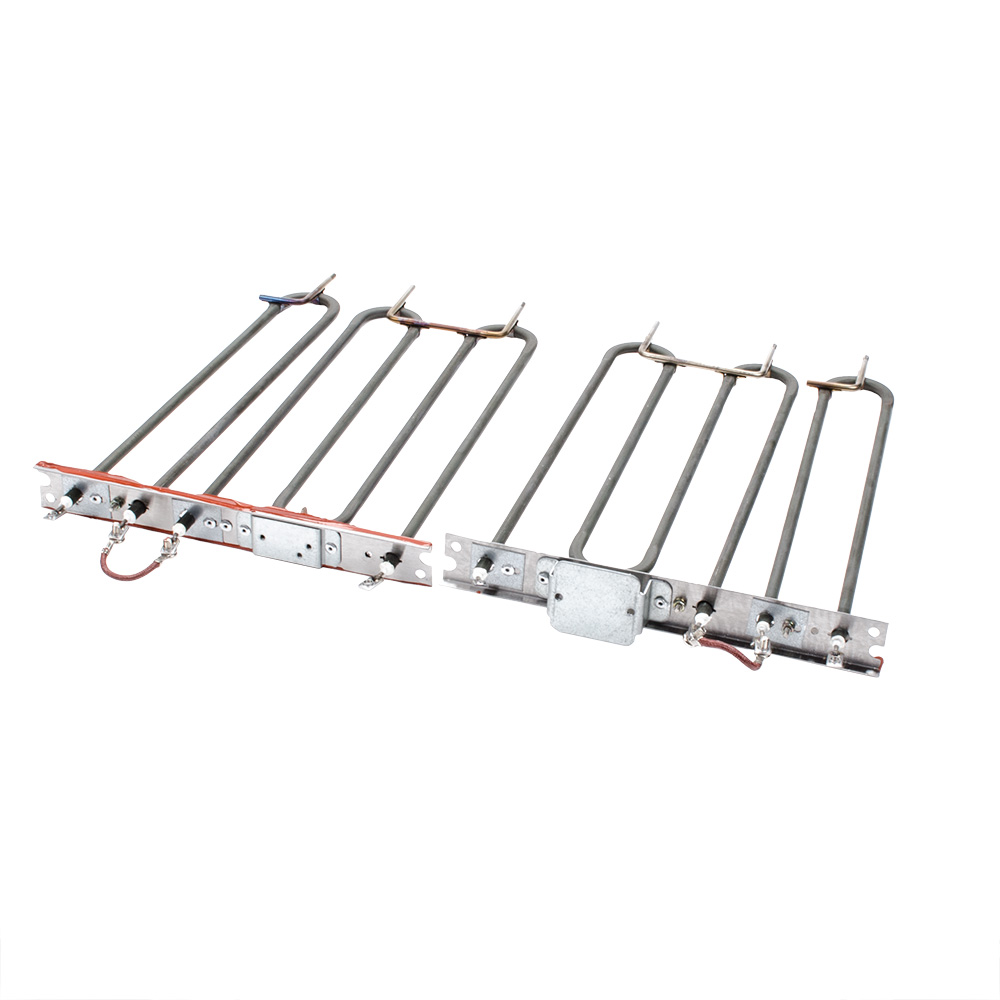
A toaster element can sometimes be replaced, but the repair depends on the toaster’s design. Many toasters use nichrome wire or a thin heating strip mounted on a mica frame. Others use a sealed heating assembly that is not sold as a separate part.
Unplug the toaster before opening it. Let it cool fully, confirm the correct replacement part for the exact model, and stop if the repair requires changes to the power cord, grounding system, thermal fuse, or control board. For many low-cost U.S. toasters, replacing the whole appliance is safer and less costly than replacing an internal element.
Introduction
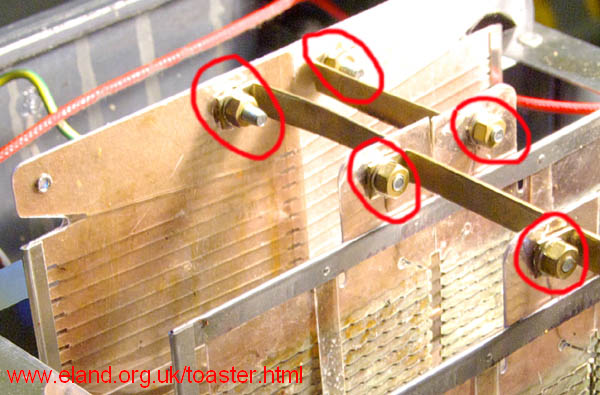
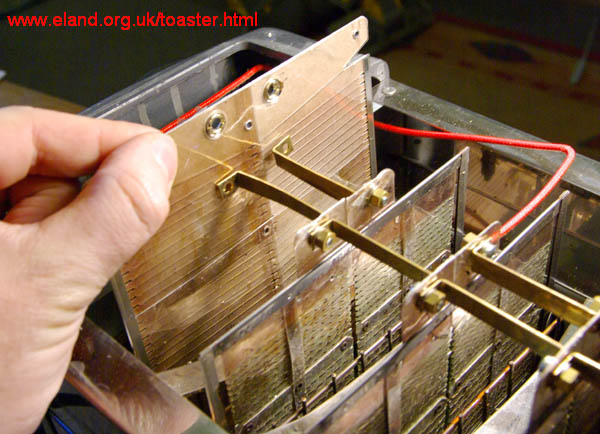
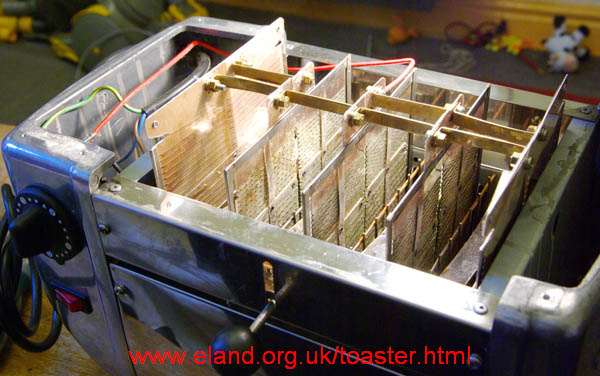
A toaster element is the part that turns electrical energy into heat. It usually contains nichrome wire, a metal alloy made to resist electrical current and become hot. The wire is held near the bread slot by mica sheets, ceramic supports, or a metal frame.
To replace one, you must remove the outer case, identify the damaged element, disconnect it without harming nearby parts, install an exact match, and test the toaster under controlled conditions. The toaster operates from standard U.S. household power, so even a small mistake can cause shock, fire, or a short circuit.
This guide covers common two-slice and four-slice pop-up toasters sold in the United States. It does not replace the service manual for your model. If the manual says the toaster is not user-serviceable, follow that warning.
Before You Start: Check Whether the Element Is Replaceable
First, find the toaster’s model number and search the manufacturer’s U.S. support page for a service manual or parts diagram. The model label may be on the bottom, rear, or side of the toaster. Record the full model number, including letters and revision marks.
Do not assume that a part listed for a similar toaster will fit yours. Elements can differ in:
- Length and width
- Terminal shape
- Resistance value
- Mounting holes
- Mica frame design
- Voltage rating
- Number of bread slots
- Connection to the control board
Signs of a failed toaster element
A damaged element may show one or more of these signs:
- One side of a bread slot does not glow or heat.
- The toaster browns bread unevenly.
- A section of heating wire has a visible break.
- The wire has sagged and touches a metal shield.
- The toaster trips a circuit breaker when switched on.
- The toaster smells strongly of burning electrical parts.
- A continuity test shows an open circuit across the element.
A dark section does not always mean the element is bad. Some areas may be hidden by the bread guide or may not glow brightly at normal room light.
When the element should not be replaced
Do not repair the element if:
- The cord is cracked, cut, melted, or loose.
- The plug shows heat damage.
- The case has melted plastic.
- The toaster has water or grease inside.
- The heating frame is badly warped.
- The thermal fuse has failed.
- The control board has burn marks.
- You cannot identify the correct replacement.
- The element is permanently sealed into the chassis.
A blown thermal fuse is not a safe reason to install a larger fuse or bypass the fuse. The fuse is a safety part. It may open because the toaster overheated, not because the fuse itself was the original problem.
Tools and Parts You Need
Use the correct tools before you open the toaster. A missing tool can lead to damaged screws, bent frames, or unsafe force.
You may need:
- A model-specific replacement element
- Phillips, flat, or security screwdriver bits
- Nut drivers or small sockets
- Needle-nose pliers
- Digital multimeter with an ohms setting
- Small container for screws
- Phone or camera for photos
- Soft brush or compressed air
- Heat-resistant gloves for handling sharp metal parts
Use eye protection when removing a metal case. Toaster housings often have sharp edges.
A multimeter is useful for checking continuity. Continuity means electricity can travel through a closed path. Set the meter to resistance, touch the probes together, and note the reading. The exact reading across a good element varies by design. A stable open circuit usually points to a broken element, but the service manual should guide the final diagnosis.
Do not test resistance on a toaster that is plugged in. Disconnect the toaster from the wall first.
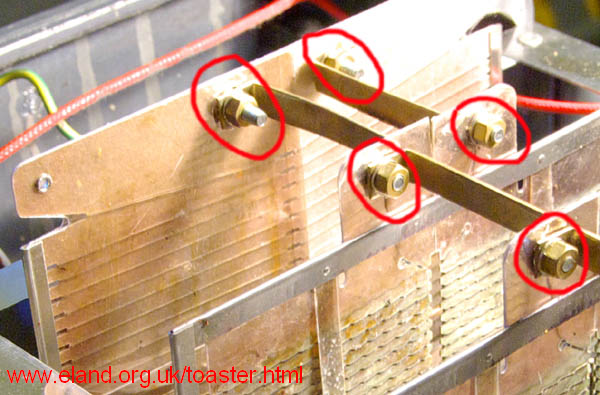
How to Replace a Toaster Element
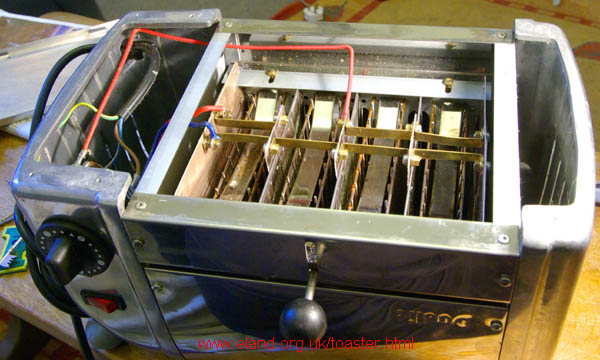
The steps below describe a common repair layout. Your toaster may use a different case, wiring system, or element mount. Take photos before removing each wire, and place screws in order as you remove them.
1. Unplug and cool the toaster
Pull the plug from the wall outlet. Do not rely on the toaster lever or a power strip switch.
Wait until every part is cool. Empty the crumb tray and shake out loose crumbs over a trash can. Do not wash or soak the toaster. Water can remain inside the appliance and create a shock hazard later.
2. Remove the outer case
Look for screws on the bottom, side, or rear of the toaster. Some models hide screws under rubber feet, labels, or decorative covers.
Remove only the fasteners that hold the case. Avoid forcing the shell apart. If the case does not lift easily, look for another screw or locking tab. Prying too hard can bend the housing or damage the lever mechanism.
Keep the case and screws away from the work area while you inspect the inside.
3. Photograph the wiring and element position
Take clear photos from several angles. Include:
- Wire colors
- Terminal locations
- Switch positions
- Spring locations
- Mica frame orientation
- Ground wire connections
- Thermal fuse placement
Photos help prevent a wire from being placed against a hot element. They also show how springs and bread guides were installed.
4. Inspect the failed element
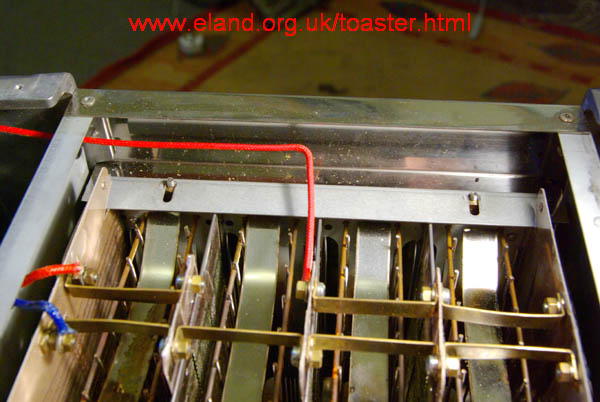
Follow the wires from the power and control parts to the heating assembly. Look for a broken wire, loose terminal, cracked mica, or distorted support.
Compare the damaged part with the replacement. The new element must match the old one in shape and connection points. Do not cut, stretch, knot, or splice heating wire unless the manufacturer’s service procedure specifically allows it.
5. Test the element with a multimeter
Set the multimeter to ohms. Disconnect at least one element terminal so the meter does not read through other parts of the toaster.
Touch one probe to each element terminal. A good element should show a stable resistance reading. A reading that stays at “OL,” “open,” or infinity suggests a break. A near-zero reading may suggest a short, but meter accuracy and circuit design matter.
Test the element only when it is isolated from the toaster circuit. If the reading is unclear, compare it with the service manual or a matching working element.
6. Remove the old element
Release the terminals, clips, screws, or retaining tabs that hold the old element. Use needle-nose pliers with care. Pull on the terminal, not the wire, when a connector is designed to slide off.
Do not bend the mica sheets. Mica is thin and can crack. Do not disturb the bimetal thermostat, thermal fuse, switch contacts, or control board unless the repair procedure requires it.
If the element is riveted in place or built into a sealed heating frame, stop. The correct repair may be a complete heating assembly, chassis, or replacement toaster.
7. Install the new element
Place the new element in the same position and direction as the old one. Secure every clip, tab, screw, or support.
The heating wire must not touch:
- The metal outer case
- Insulation that is not heat rated
- Plastic parts
- Control wires
- The power cord
- The bread carriage
- Another element
Reconnect each wire to its original terminal. Push connectors fully into place, but do not crush them with pliers. A loose connection can create heat and arcing.
8. Check the assembly before closing the case
Move the bread carriage by hand. It should travel freely without scraping the new element.
Check that:
- No wire is pinched.
- No screw is loose inside the toaster.
- No mica support is cracked.
- The thermal fuse remains in its original position.
- The ground connection is secure if the toaster uses one.
- The new element does not touch the case.
- The crumb tray fits correctly.
If the toaster has a grounded metal body, never remove or defeat the ground connection.
9. Reinstall the case
Fit the housing back into its original position. Replace all screws and feet. The case should close without force or gaps.
Do not operate the toaster with the case removed. Exposed live parts can cause electric shock, and the case helps keep the heating system and wiring in the correct position.
How to Test the Toaster After the Repair
Test the toaster in stages. Place it on a dry, stable, nonflammable surface away from curtains, paper, and cabinets.
First, inspect the cord and plug again. Then plug the toaster directly into a wall outlet. Avoid an extension cord or power strip during the first test.
Run the toaster for a short cycle without bread while watching and listening from a safe distance. A mild smell from dust may occur after storage, but stop at once if you see smoke, sparks, melting plastic, or an unusual flash.
Unplug the toaster and let it cool. Inspect the inside through the slots without touching the elements. Check for:
- Even heating on the repaired side
- No wire movement
- No contact with metal parts
- No scorching
- A lever that stays down correctly
- A timer or automatic shutoff that works
If the toaster passes the empty test, use one slice of bread on a low setting. Watch the first full cycle. Do not leave the room while a repaired toaster is operating.
A successful repair means more than a glowing element. The carriage, timer, thermostat, wiring, case, and automatic shutoff must also work as designed.
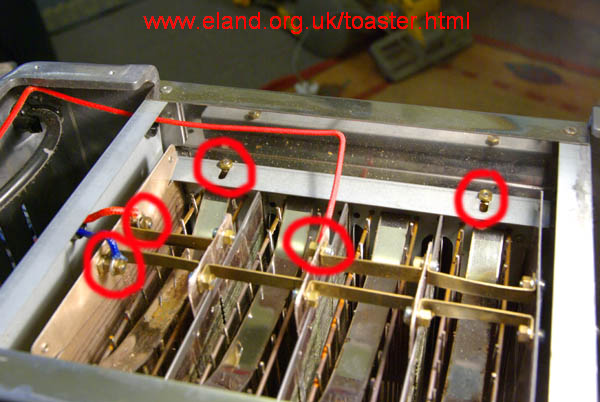
What to Do If the Toaster Still Does Not Work
If the new element does not heat, check the likely causes in a safe order.
| Symptom | Possible cause | Safe next step |
|---|---|---|
| No elements heat | Outlet, cord, switch, thermal fuse, or control fault | Unplug it and check the outlet with another appliance; do not bypass the fuse |
| One side stays cold | Wrong element, loose terminal, broken wire, or control contact | Unplug it and compare wiring with the manual |
| Circuit breaker trips | Shorted element, pinched wire, damaged cord, or internal fault | Stop using the toaster; do not reset the breaker repeatedly |
| Smoke or sparks | Contact with metal, loose connection, or damaged insulation | Unplug it if safe and retire or professionally service the toaster |
| Lever will not stay down | Carriage, electromagnet, control board, or crumb buildup | Clean only after unplugging; inspect for mechanical damage |
| Uneven browning remains | More than one element is weak or the thermostat is faulty | Compare all elements and consider replacement of the toaster |
A new element will not fix a failed thermostat or control board. It also will not correct a damaged cord or a toaster with heavy internal corrosion.
If the toaster trips a breaker, produces sparks, or has a hot plug, stop testing it. A qualified appliance repair technician can diagnose the fault with proper electrical test equipment.
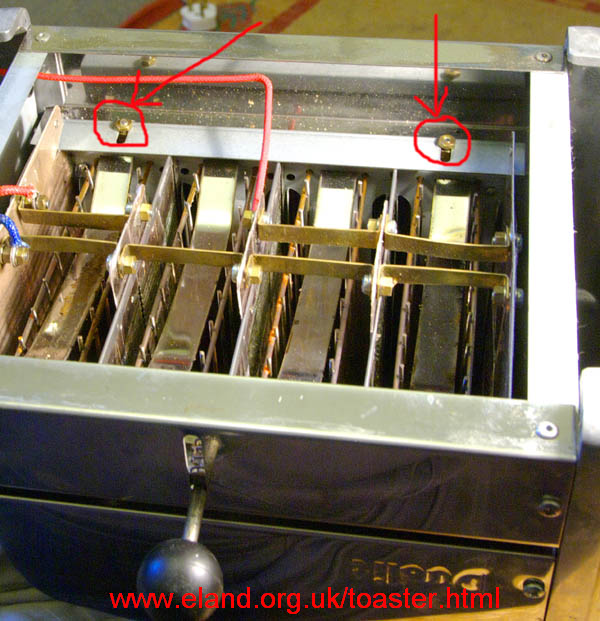
Common Mistakes to Avoid
Using a universal heating element
Toaster elements are not universal. A part with the same length may have a different resistance, terminal layout, or heat pattern. Use a part listed for the exact model or a complete assembly approved for that model.
Bypassing the thermal fuse
A thermal fuse is designed to open when temperatures rise too far. Replacing it with a wire, foil, or oversized fuse removes a safety barrier. This can turn a small fault into a fire hazard.
Testing a live toaster
Never place multimeter probes inside a plugged-in toaster unless you are trained and equipped for live electrical work. For a home repair, unplug the appliance before testing resistance or touching internal parts.
Cleaning with water
Crumbs can be removed with a dry brush, gentle shaking, or the removable crumb tray. Water, spray cleaner, and wet cloths can enter the electrical parts.
Leaving the toaster unattended
A toaster should not run while you are away, asleep, or near flammable objects. This matters even more after a repair.
Assuming a repair is always cheaper
A replacement element, shipping, tools, and time may cost more than a new toaster. If the toaster has several faults or a sealed heating assembly, replacement may be the safer choice.
Replace the Element or Replace the Toaster?
Replacing the element may make sense when the toaster is valuable, the correct part is available, and the rest of the appliance is in good condition.
Buying a new toaster is often more practical when:
- The appliance is inexpensive.
- The replacement element is unavailable.
- The repair requires a complete heating chassis.
- The cord, plug, or control board is damaged.
- The case has heat damage.
- The toaster has repeated failures.
- You cannot verify the repair safely.
The key decision is not just price. It is whether the repaired toaster will retain its original electrical and heat protections. If you cannot confirm that, do not use the toaster.
Frequently Asked Questions
Can I replace a toaster element without opening the toaster?
Usually no. The element is inside the housing and connected to internal wiring or a heating frame. Opening the toaster is necessary, but it also exposes sharp metal and electrical parts. If the element is not designed as a service part, do not force the repair.
How do I know if a toaster element is bad?
Look for a visible break, a section that never heats, or an open resistance reading when the element is isolated and tested with a multimeter. Uneven browning alone does not prove that the element has failed.
Can I use nichrome wire to repair the element?
Do not substitute loose nichrome wire unless the manufacturer provides a specific repair method. The wire’s gauge, length, resistance, mounting, insulation, and heat pattern must all match. A poor substitute can overheat or short against the case.
Is it safe to use a toaster after replacing an element?
It can be safe only if the correct part is installed, all wires and safety devices remain intact, the case is correctly reassembled, and the toaster passes a careful test. Stop using it if it sparks, smokes, trips a breaker, smells strongly of burning plastic, or heats unevenly.
Why does a new toaster element fail again?
A repeat failure may come from a loose terminal, a damaged thermostat, poor airflow, a shorted wire, a faulty control board, or incorrect replacement part. Replacing the element again without finding the cause may create the same risk.
Conclusion
To replace a toaster element, identify the exact model, obtain the correct part, unplug and cool the toaster, document the wiring, remove the damaged element, install the replacement without changing safety parts, and test the appliance carefully.
Many toasters are not built for element-level repair. If the heating assembly is sealed, the cord is damaged, the breaker trips, or the repair requires bypassing a fuse or ground, replace the toaster or use a qualified technician. When in doubt, choose the option that preserves the appliance’s original safety design.