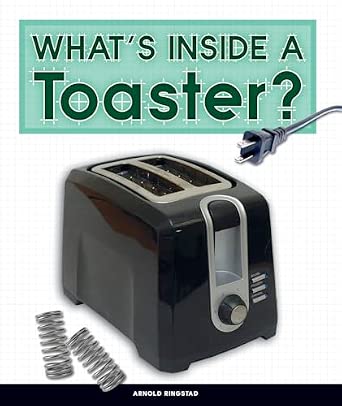
How To Take Apart A Toaster: Safe Step-By-Step Guide
You can take apart a standard U.S. pop-up toaster for cleaning, inspection, or repair, but you must unplug it first and let it cool fully. Most toasters contain sharp metal parts, spring-loaded mechanisms, exposed wires, and parts that can cause shock or fire if they are damaged or reassembled incorrectly.
This guide covers common two-slice and four-slice pop-up toasters sold in the United States. It does not cover toaster ovens, commercial toasters, or appliances with unusual electronic controls. Always check the owner’s manual for your exact model before removing screws.

Before You Take Apart the Toaster
Prepare a clean work area, the right tools, and a plan for keeping each screw in order. A toaster is easier to repair when you take photos during each stage.
Safety checklist
Follow these steps before opening the toaster:
- Unplug the toaster from the wall. Do not rely on the lever being in the raised position.
- Wait until the toaster is completely cool. Hot heating wires and metal parts can cause burns.
- Move the toaster away from water and food.
- Remove the crumb tray and empty it.
- Read the manual or service information for your model.
- Check the warranty. Opening the case may void the warranty.
- Work on a dry, stable surface with good light.
The U.S. Consumer Product Safety Commission advises consumers to use appliances according to the manufacturer’s instructions and to stop using products with damaged cords, plugs, or other unsafe parts. A damaged toaster should not be used while you decide whether to repair or replace it.
Tools you may need
The exact tools depend on the toaster. Common choices include:
- Phillips screwdriver
- Flat-head screwdriver
- Torx screwdriver
- Security Torx bits
- Small nut driver
- Needle-nose pliers
- Soft brush
- Vacuum with a small nozzle
- Small containers for screws
- Phone or camera for progress photos
- Work gloves for handling sharp metal edges
Do not use a knife, fork, or other metal object to remove stuck bread from a plugged-in toaster. This can contact live electrical parts.
Important limits
Many toaster parts are not designed for home service. Replace the toaster instead of repairing it if you find:
- Melted insulation
- A burned circuit board
- A scorched plug
- A frayed power cord
- Loose or cracked heating elements
- A strong burnt-plastic smell
- Signs of water damage
- Rust that affects electrical connections
- A case that will not close firmly
A licensed appliance technician is the safer choice when the fault involves the power cord, switch contacts, circuit board, or internal wiring.

How a Pop-Up Toaster Works
A pop-up toaster uses an electrical heating element to brown bread. A lever lowers the bread carriage and usually closes an electrical switch. A timer or electronic control then releases the carriage when the selected cycle ends.
Common parts include:
- Outer housing
- Bread carriage
- Lever and latch
- Heating elements
- Bread guides
- Crumb tray
- Browning control
- Wiring
- Thermal protection parts
- Circuit board on some models
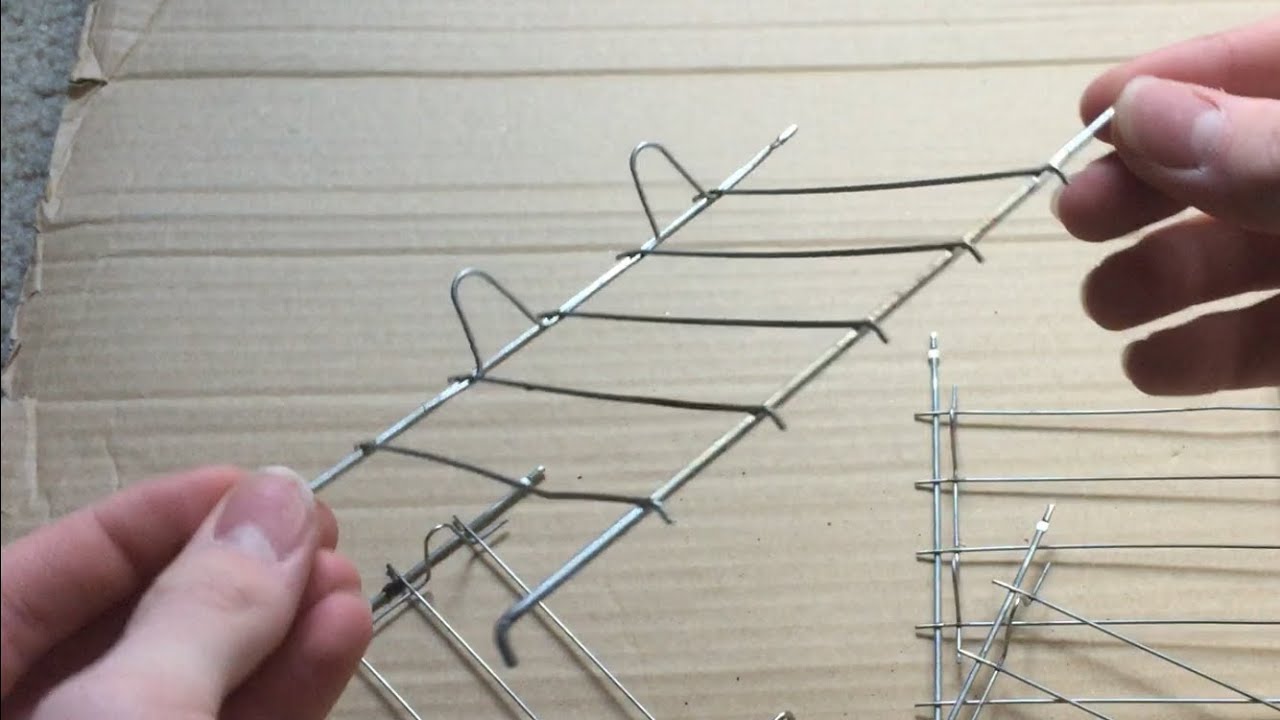
The heating elements are often thin resistance wires or strips mounted on mica sheets. Mica is a heat-resistant insulating material. These parts can break if bent or touched with a tool.
A toaster may look simple from the outside, but its safety depends on correct spacing and secure electrical connections. A loose wire or misplaced metal shield can create a short circuit or fire risk.
Toaster versus toaster oven
This guide is for a pop-up toaster. A toaster oven has different parts, such as:
- A larger heating chamber
- Door hinges
- A thermostat
- More complex controls
- A larger power system
- Different thermal protection
Do not use pop-up toaster instructions for a toaster oven. The two appliances are not built the same way.

Step-by-Step: How to Take Apart a Toaster
Take photos before you remove each major part. Place screws in separate containers and label them by location. This simple habit prevents many reassembly problems.
1. Remove the crumb tray
Pull out the crumb tray from the bottom or side of the toaster. Some trays slide out. Others use a small latch.
Brush away loose crumbs. Do not wash the tray unless the manual says it is safe to do so. If you clean it with water, dry it completely before putting it back.
Look for screws hidden behind or near the tray. Some manufacturers place the first case screws in this area.
2. Inspect the outside of the case
Turn the unplugged toaster over and inspect the bottom. Look for:
- Phillips screws
- Torx screws
- Security screws
- Plastic clips
- Rubber feet covering screws
- Labels hiding fasteners
- A bottom panel or removable shell
Do not pry the case open yet. First, identify every visible fastener.
Some toasters use tamper-resistant screws. Do not force a regular screwdriver into them. The wrong tool can strip the screw head and make the case harder to open.
3. Remove the screws
Use the correct driver and press down firmly while turning. This keeps the bit from slipping.
Place each screw in a labeled container. Screws that look similar may have different lengths. A screw that is too long can press against internal parts or damage the case.
If a screw will not move:
- Clean crumbs from around the head.
- Use the correct driver size.
- Apply steady pressure.
- Try a manual driver before using a power tool.
- Stop if the head begins to strip.
Avoid drilling out a screw unless you have repair experience. Drilling can spread metal filings into the toaster and damage nearby parts.
4. Separate the outer case
After removing the screws, check for clips or tabs. Gently work around the seam with a plastic pry tool.
Do not pull the case apart quickly. Internal wires may connect the top, bottom, control panel, or circuit board. If the shell resists, look for another screw rather than using more force.
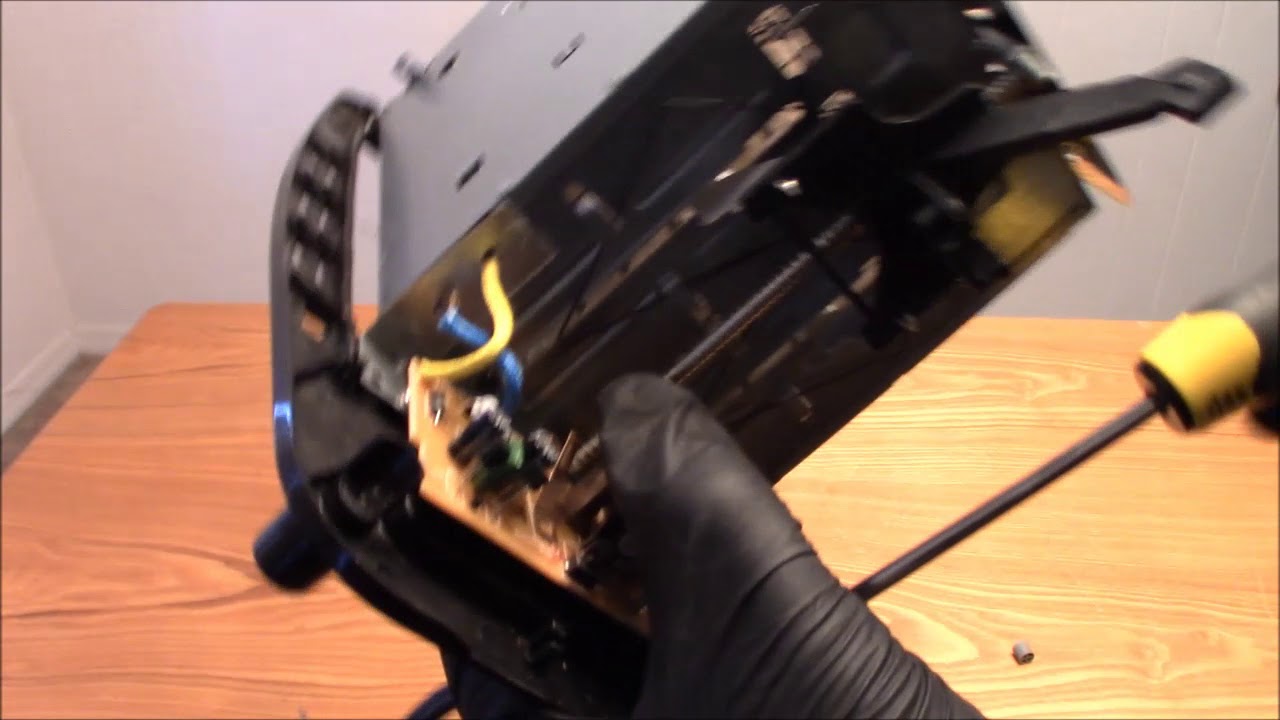
Open the case only as far as needed. Take a clear photo of the inside before moving anything.
5. Record the wire layout
Before disconnecting a wire, photograph:
- Where the wire starts and ends
- Its path through the case
- Any clips that hold it in place
- The direction of each connector
- The position of insulation or heat shields
Use removable labels if needed. Do not rely on memory.
Pull connectors by their plastic terminals, not by the wires. If a connector is tight, gently rock it from side to side with pliers while holding the terminal.
6. Remove the control panel, if needed
Some models have a separate panel for the browning dial, buttons, or display. It may be held by screws, clips, or a knob.
If a knob must come off, pull it straight out unless the manual shows a retaining screw. Do not twist hard. The shaft behind the knob can bend.
Keep electronic controls away from loose crumbs and metal tools. Circuit boards are sensitive to static and physical damage.
7. Remove the bread carriage only when necessary
The bread carriage is the frame that lowers and raises the bread. It may connect to:
- The lever
- A latch
- Springs
- Guide rails
- The timer mechanism
- Electrical contacts
Do not remove it just to clean loose crumbs. Removing it can disturb the alignment of the toaster.
If removal is necessary, photograph the spring positions and lever connection first. Release spring tension slowly. A spring can snap back and pinch your fingers.
8. Inspect the heating elements
Look for broken, sagging, burned, or displaced heating wires. Do not bend the elements to make them fit. A damaged heating element usually calls for replacement of the toaster or the complete element assembly.
Also inspect the mica sheets. Replace the appliance if a mica sheet is cracked, badly charred, or loose.
Do not scrape heating wires with a metal tool. A small break may prevent the toaster from heating evenly or may create an unsafe hot spot.
9. Clean the inside
Use a soft, dry brush to loosen crumbs. A small vacuum can remove them if its nozzle does not strike the heating elements.
Avoid:
- Water
- Spray cleaner
- Compressed air aimed at controls
- Metal brushes
- Knives
- Household oils
- Solvents
Cleaning is often enough when the problem is a stuck lever caused by crumbs. If the lever still will not latch after cleaning, the latch, switch, or control system may be damaged.
10. Reassemble the toaster
Reassembly is the reverse of disassembly, but accuracy matters.
- Return shields and insulation to their original positions.
- Route wires through the same clips and channels.
- Reconnect each terminal firmly.
- Confirm that no wire rests against a heating element.
- Refit the carriage and springs.
- Check that the lever moves freely.
- Install the case without pinching wires.
- Replace screws in their original locations.
- Reinstall the crumb tray.
Before plugging it in, look through the slots and around the case. No loose screw, wire, or metal part should remain inside.

How to Check the Toaster After Reassembly
Test the toaster in stages. Do not leave it unattended during the first cycle.
First, inspect the cord and plug. Make sure the case is closed and the lever moves normally. Place the toaster on a clear, heat-resistant surface away from curtains, paper, and cabinets.
Plug it into a properly installed wall outlet. Do not use an extension cord for a toaster unless the manufacturer specifically permits it. A toaster draws high power, and an unsuitable cord can overheat.
Run one short cycle with no food only if the manual permits it. Watch for:
- Sparks
- Smoke beyond a brief new-appliance odor
- A burning-plastic smell
- Flickering or uneven heating
- A lever that will not release
- A circuit breaker that trips
- A hot plug or cord
Unplug the toaster immediately if any of these signs appear. Do not keep testing it to see whether the problem goes away.
Signs of a successful reassembly
The toaster is likely assembled correctly when:
- The case closes without gaps
- The lever moves smoothly
- The latch holds the lever down
- The carriage rises fully
- The browning control responds normally
- No wire touches a hot element
- The cord and plug remain cool
- The toaster completes a cycle without smoke or sparks
These checks do not prove that the toaster is electrically safe. If the appliance shows any fault, stop using it.

Common Problems After Taking Apart a Toaster
| Symptom | Possible cause | Safe next step |
|---|---|---|
| Lever will not stay down | Crumbs, misaligned latch, failed switch | Unplug it, clean loose crumbs, and check alignment |
| One side does not heat | Broken element, loose connection, failed control | Do not use it; replace or seek professional service |
| Toaster stays on | Failed timer, switch, or control board | Unplug it at once and stop using it |
| Lever feels stiff | Bent guide, misplaced spring, trapped crumb | Unplug it and inspect for obstruction |
| Case will not close | Pinched wire, misplaced shield, wrong screw | Reopen it and compare with your photos |
| Plug or cord gets hot | Overload, damaged cord, poor connection | Unplug it and replace the appliance or have it inspected |
| Circuit breaker trips | Short circuit or damaged component | Do not reset and keep testing |
| Smoke appears | Crumbs, damaged insulation, overheated part | Unplug it; replace the toaster if the cause is not clearly loose crumbs |
A toaster that repeatedly trips a breaker should not be used. The breaker may be protecting you from a short circuit or overheating condition.
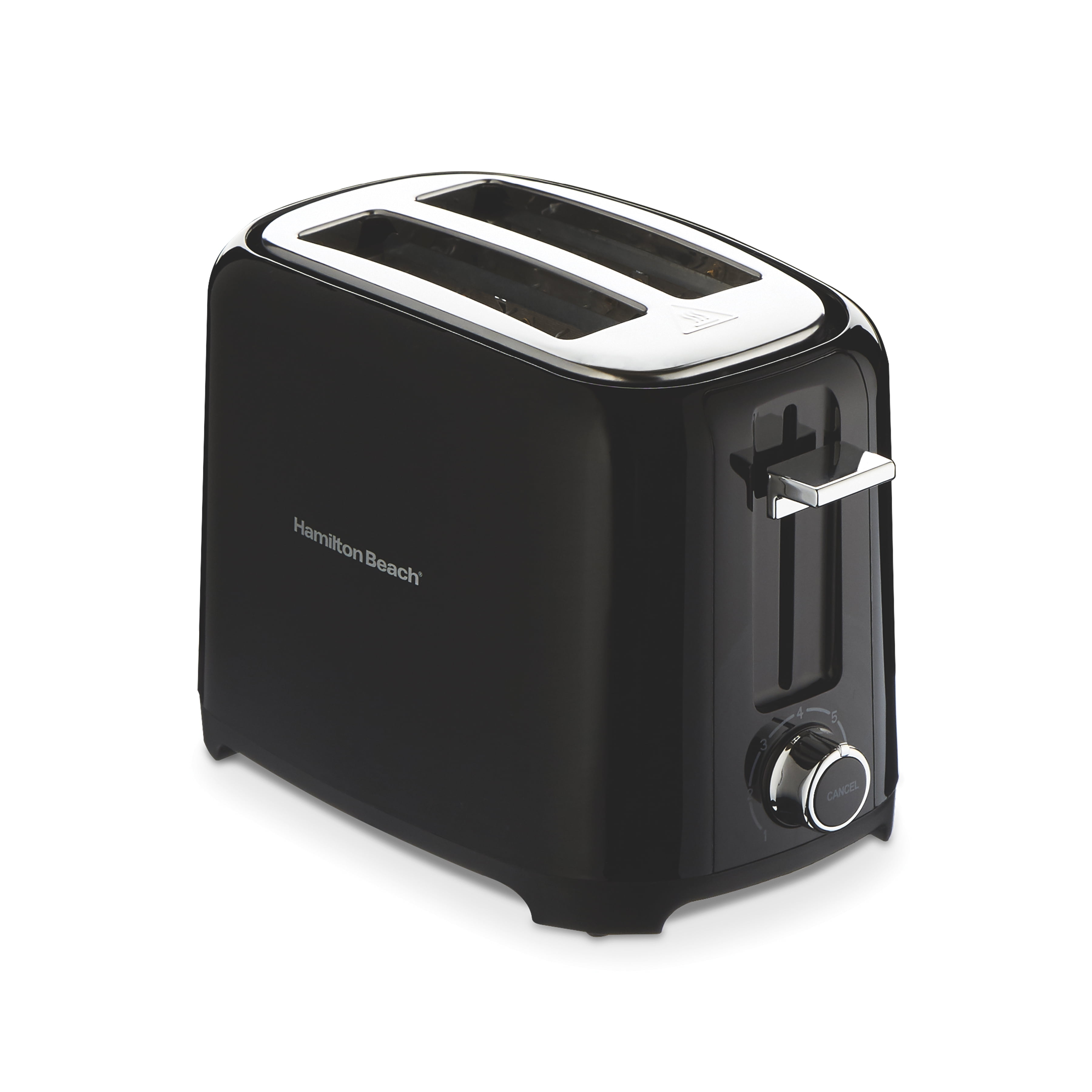
When You Should Not Take Apart a Toaster
Do not open the toaster if you only need to remove crumbs. Most loose crumbs can be removed through the crumb tray and slots while the toaster is unplugged and cool.
Do not attempt internal repair when:
- You lack the correct tools
- The appliance has a burned smell
- The power cord is damaged
- The toaster was exposed to water
- The heating element is broken
- The control board is burned
- You cannot identify the wire connections
- The case uses sealed or riveted parts
- The toaster is still under warranty
For a low-cost toaster, replacement is often safer and more practical than component-level repair. For an expensive or specialized model, contact the manufacturer or a qualified appliance repair professional.
Never defeat a thermal fuse, safety switch, grounding feature, or other protective part. Do not replace a fuse with foil or a higher-rated fuse.
Cleaning a Toaster Without Taking It Apart
Most routine cleaning does not require case removal.
- Unplug the toaster.
- Let it cool.
- Remove and empty the crumb tray.
- Shake the toaster gently over a trash can.
- Brush the slots with a soft, dry brush.
- Vacuum loose crumbs if possible.
- Wipe the outside with a slightly damp cloth.
- Dry the toaster fully before use.
Do not turn a toaster upside down over a sink. Water can enter the controls and remain inside after the outside appears dry.
Do not insert bread knives, forks, tongs, or other metal objects into the slots. If bread is stuck, unplug the toaster, wait for it to cool, and use a wooden utensil only if the manufacturer permits it.

Frequently Asked Questions
Can I take apart a toaster while it is plugged in?
No. Always unplug it before removing the tray, case, or any internal part. The toaster may contain exposed electrical contacts even when the lever is raised.
Do toasters have capacitors that can shock me after unplugging?
Some models may contain electronic components that hold a charge for a short time. Do not touch circuit-board parts or exposed terminals. Unplugging the toaster reduces risk but does not make careless handling safe.
Can I wash the inside of a toaster?
No. Water and cleaning spray can damage insulation, controls, and electrical connections. Use a dry brush and remove crumbs without wetting the interior.
Why will my toaster not stay down after I cleaned it?
The latch may be misaligned, the carriage may be bent, or the electrical control may have failed. Unplug the toaster and inspect only for obvious mechanical obstruction. Do not bypass the latch or safety switch.
Is it worth repairing a toaster?
Repair may make sense when the problem is a loose connection or removable obstruction and the appliance is designed for service. Replacement is usually the safer option when the cord, heating element, insulation, circuit board, or thermal protection is damaged.
Final Takeaway
To take apart a toaster, unplug it, let it cool, remove the crumb tray, locate every fastener, open the case slowly, document the wiring, and protect the heating elements. Clean only with dry tools, and reassemble every shield, spring, wire, and screw in its original position.
If the toaster has a damaged cord, burnt parts, broken heating elements, smoke, sparks, or repeated breaker trips, stop the repair and replace the appliance or contact a qualified professional. A toaster is inexpensive, but an electrical fire is not.